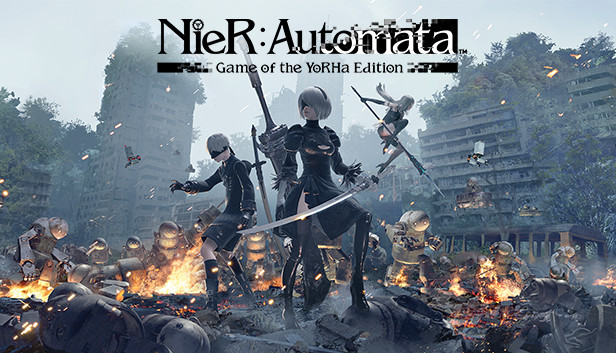
The NieR:Automata™ Game of the YoRHa Edition includes the game itself and comes packed with DLC and bonus content for the full experience of the award-winning post-apocalyptic action RPG, including:
3C3C1D119440927 DLC*
Valve Character Accessory
Cardboard Pod Skin
Retro Grey Pod Skin
Retro Red Pod Skin
Grimoire Weiss Pod
Machine Mask Accessory
Exclusive set of wallpapers in the following sizes: 1024 x 768, 1280 x 1024, 1920 x 1080, 2560 x 1600
*To enjoy this content you will need to have progressed a certain way into the main story of the game. There are also some scenes during the progression of the main game scenario in which this content cannot be accessed.
Login or register at the official Steam Website and download Steam client
Install and start application, login with your Account name and Password
Click the Games Menu.
Choose Activate a Product on Steam...
Follow the onscreen instructions to complete the process
After the successful code verification, go to the "MY GAMES" tab and start downloading.
News & Updates
2026-08-21
The Biggest Games to Steal the Show at Gamescom 2026
Gamescom 2026 is coming at the end of this month with more than 900 exhibitors and we just wanted to showcase some of the upcoming games in the AAA titles category that you should definitely check out! So, be sure to go through our shortlisted future release hits in most gaming genre types, as we get ready to once again explore the world of Gamescom…
ACE COMBAT 8 Could Be the Series’ Most Ambitious Entry
The upcoming Ace Combat 8: Wings of Theve marks a completely new chapter in the popular flight shooting series, by effectively blending cinematic storytelling with the thrills of aerial combat like never before. Developed by Bandai Namco Aces Inc., the game will build upon the decades of established expertise in order to further boost the series’ strong sides…
Entering some text requires manually invoking the on-screen keyboard
This game does not default to external Bluetooth/USB controllers on Deck, and may require manually switching the active controller via the Quick Access Menu
All functionality is accessible when using the default controller configuration
This game shows Steam Deck controller icons
In-game interface text is legible on Steam Deck
This game's default graphics configuration performs well on Steam Deck