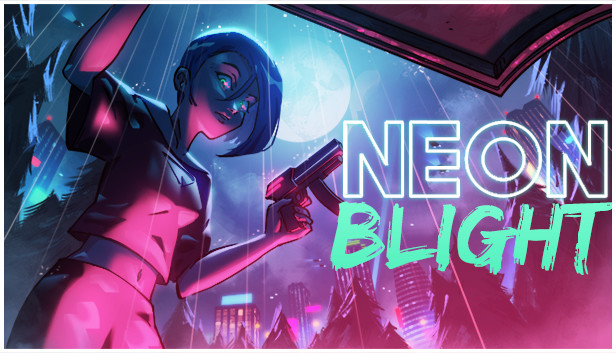
Welcome to the cyberpunk future of Neon Blight. As the new owner of a cyberpunk gun shop, it's your job to provide the throng of wannabe heroes with the weapons they need to succeed in the fight against the megacorporations that rule the world. Enter the world of cutthroat competition, merciless rivalry, and boundless exploration as a fixer.
You provide the cyberpunks of your age with the weapons and equipment they need. Operate your very own gun store, fight through seemingly endless waves of enemies, and acquire the ultimate weapon by making your way through the Outer Border and the throng of enemies bent on keeping you away from your ultimate goal.
Manage your own gun store: Customize the shop you own and sell the weapons you acquire to the cyberpunks looking to improve their lot in life.
Gunrunning the Future: Sell hundreds of upgradeable guns to customers looking to gain an edge over the competition.
Loyalty at a Premium: Build relationships with your customers, fulfilling their needs and, when necessary, taking matters into your own hands, tackling their quests.
A weapon that can upend the balance of power at Eden awaits you. Can you locate the keys to the vault and claim the ultimate weapon?
Fight through dozens of hand-crafted levels to acquire the components of the ultimate weapon.
Gain the ultimate tool of war, upending the delicate balance of power at the new Eden.
Confront unique bosses to corner the gun-running market at the megacity and build a future of your own.
Additional notes: specific anti-virus programs are known to cause issues
windows Recommended
OS: Windows 7 or newer
Processor: Intel Core 2 Duo or AMD Athlon 64 X2
Memory: 2 GB RAM
Graphics: Intel HD 4000 or better
Additional notes: specific anti-virus programs are known to cause issues
To activate the game, you need a Steam Account
Login or register at the official Steam Website and download Steam client
Install and start application, login with your Account name and Password
Click the Games Menu.
Choose Activate a Product on Steam...
Follow the onscreen instructions to complete the process
After the successful code verification, go to the "MY GAMES" tab and start downloading.
News & Updates
2026-10-23
BOO! Giveaway - Win a Game of Your Choice
Make a purchase of any amount between 23.10.2026 15:00 CET and 28.10.2026 15:00 CET, submit your Order ID in our Gleam and get a chance to win a FREE GAME (up to 50€).…
Some functionality is not accessible when using the default controller configuration, requiring use of the touchscreen or virtual keyboard, or a community configuration
This game sometimes shows mouse, keyboard, or non-Steam-Deck controller icons
Entering some text requires manually invoking the on-screen keyboard
In-game interface text is legible on Steam Deck
This game's default graphics configuration performs well on Steam Deck