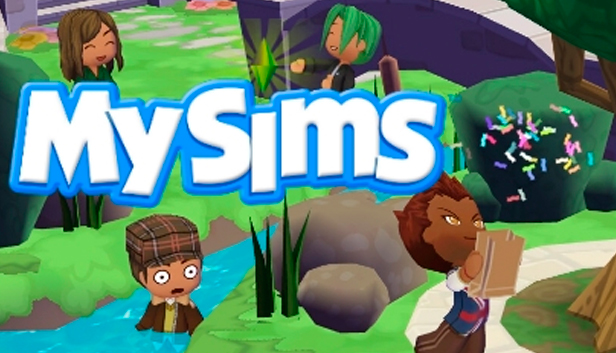
MySims (2008)

Åland Islands, Albania, Algeria, Andorra, Angola, Anguilla, Antigua and Barbuda, Argentina, Armenia, Aruba, Australia, Austria, Azerbaijan, Bahrain, Bangladesh, Barbados, Belarus, Belgium, Belize, Benin, Bermuda, Bhutan, Bolivia, plurinational state of, Bosnia and Herzegovina, Brazil, Brunei Darussalam, Bulgaria, Burkina Faso, Burma, Burundi, Cambodia, Cameroon, Canada, Cape Verde, Cayman Islands, Central African Republic, Chad, Chile, China, Colombia, Comoros, Congo, Congo, Democratic Republic of the, Cook Islands, Costa Rica, Cote d'Ivoire, Croatia, Cuba, Curaçao, Cyprus, Czech Republic, Denmark, Djibouti, Dominica, Dominican Republic, Ecuador, Egypt, El Salvador, Equatorial Guinea, Eritrea, Estonia, Falkland Islands (Malvinas), Faroe Islands, Fiji, Finland, France, Gabon, Gambia, Georgia, Germany, Gibraltar, Greece, Guadeloupe, Guatemala, Guernsey, Guinea, Guinea-Bissau, Guyana, Haiti, Holy See (Vatican City State), Honduras, Hong Kong, Hungary, Iceland, India, Indonesia, Ireland, Isle of Man, Israel, Italy, Jamaica, Japan, Jersey, Jordan, Kazakhstan, Kenya, Korea, Republic of, Kuwait, Kyrgyzstan, Lao People's Democratic Republic, Latvia, Lebanon, Lesotho, Liberia, Liechtenstein, Lithuania, Luxembourg, Macao, Madagascar, Malawi, Malaysia, Maldives, Mali, Malta, Marshall Islands, Martinique, Mauritania, Mauritius, Mayotte, Mexico, Micronesia, Federated States of, Moldova, Monaco, Mongolia, Montenegro, Montserrat, Morocco, Mozambique, Namibia, Nepal, Netherlands, New Zealand, Nicaragua, Niger, Niue, Northern Mariana Islands, Norway, Oman, Papua New Guinea, Paraguay, Peru, Philippines, Poland, Portugal, Qatar, Republic of North Macedonia, Romania, Russian Federation, Rwanda, Saint Kitts and Nevis, Saint Lucia, Saint Martin (French Part), Saint Vincent and the Grenadines, San Marino, Senegal, Serbia, Seychelles, Sierra Leone, Singapore, Sint Maarten, Slovakia, Slovenia, Solomon Islands, Somalia, South Africa, South Sudan, Spain, Sudan, Suriname, Svalbard and Jan Mayen, Swaziland, Sweden, Switzerland, Taiwan, Province of China, Tajikistan, Tanzania, United Republic Of, Thailand, Timor-Leste, Togo, Tonga, Turkey, Turkmenistan, Uganda, Ukraine, United Arab Emirates, United Kingdom, United States, Uruguay, Uzbekistan, Venezuela, Vietnam, Western Sahara, Zambia, Zimbabwe
Game Description
System Requirements
Activation Details
You arrive at a town that’s in desperate need of some revamping. Since you’re such a kind-hearted individual, you decide to help the mayor bring some life into the place. Besides, you can’t kick a cute Sim when they’re down, right? Just like in the original Sims games, you’re able to customize your character. However, you don’t need to worry about taking care of him. MySims don’t require food or sleep. Instead, the game follows a SimCity style, where you are responsible for building different structures and businesses. Let your imagination run wild as you create flower shops, restaurants, and creepy laboratories for that loony mad scientist. As you add more establishments to the town, your creative lens sharpens. Take over the design of the town, right down to the furniture that other Sims will use.
Download MySims today and add a bright and promising future to a town that’s been flushed down the toilet. It’s dull. It’s lifeless. And it needs you to turn it into something that all Sims will be loving for years to come.
Key Features:
- Build And Customize An Entire Town — Your town is your own unique creation, from the flower shop to the mad scientist’s laboratory.
- Create Your Own Sim — It’s a cinch to personalize your Sim’s appearance from head to toe.
- Design Your Own Stuff — Decorate with your very own furniture and accessories, then customize your creations with things you can grow, harvest, or discover around town.
- NEW for PC – More Characters, Areas, Costumes & Buildings — The PC version has even more characters to play with and things to create.
To activate the game, you need an EA Account
- Go to EA App
- Click "Download the EA app"
- Once the launcher is installed and has started, log in with your username/password
- Once logged in, select ‘Library’ from the left Menu, then click on ‘+ Redeem Code’
- A window will prompt you to enter the code you purchased on Yuplay.
- EA will authenticate your code after a few minutes.
- The game is now visible in your list.
- Click it to start the download.