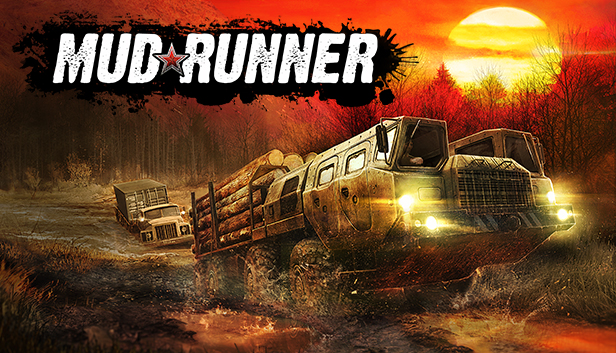
MudRunner is the ultimate off-road experience, putting the players in the driver seat and daring them to take charge of incredible all-terrain vehicles, venturing across extreme Siberian landscapes with only a map and compass as guides!
Drive 19 powerful all-terrain vehicles, each with its own characteristics and attachable equipment. Complete your objectives and deliveries by enduring perilous conditions across wild, untamed landscapes in extreme conditions with dynamic day-night cycles. Explore an immersive sandbox environment, enhanced by improved graphics. Overcome muddy terrain, raging rivers and other obstacles that all realistically react to the weight and movement of your vehicle powered by the game's advanced physics engine.
With your map, compass, winch, and your driving skills as allies, go solo or join up to three others in the coop multiplayer. Download mods created by the passionate community for truck-loads of content and an ever-evolving MudRunner experience.
The ultimate off-road experience
A wider selection of 19 incredible all-terrain vehicles
Processor: Intel® Pentium Dual Core 2.0GHz or equivalent
Memory: 2 GB RAM
Graphics: NVIDIA GeForce 9600 GT or equivalent
Storage: 1 GB available space
Additional notes: INTERNET CONNECTION REQUIRED FOR GAME ACTIVATION AND ONLINE GAME. Gamepad Microsoft Xbox Controller for Windows. Confirmed Steering Wheel support for Logitech G25/G27 - Other models have not been tested.
windows Recommended
OS: Windows Vista/7/8/10 (64-bit)
Processor: Intel® Core 2 Duo 2.5GHz or equivalent
Memory: 4 GB RAM
Graphics: NVIDIA GeForce GTX 470 or equivalent
Storage: 1 GB available space
Additional notes: INTERNET CONNECTION REQUIRED FOR GAME ACTIVATION AND ONLINE GAME. Gamepad Microsoft Xbox Controller for Windows. Confirmed Steering Wheel support for Logitech G25/G27 - Other models have not been tested.
To activate the game, you need a Steam Account
Login or register at the official Steam Website and download Steam client
Install and start application, login with your Account name and Password
Click the Games Menu.
Choose Activate a Product on Steam...
Follow the onscreen instructions to complete the process
After the successful code verification, go to the "MY GAMES" tab and start downloading.
News & Updates
2026-06-11
Celebrate FIFA World Cup 2026 with YUPLAY
The FIFA World Cup 2026 is coming in hot this summer and while these coming weeks it is all going to be centered around the best game in the world of sports, we decided to bring you a dedicated YUPLAY giveaway to commemorate the occasion together! This promotional giveaway campaign invites all of our followers to try and predict the exact final scores of selected matches from the World Cup…
First V-Bucks, Now Steam Decks: Why Gaming is Getting More Expensive
Has gaming been steadily becoming more and more expensive lately? In the past months and quarters there has definitely been an increase in pricing in both the software and hardware departments of gaming and this trend has definitely stricken the market in more than a couple of ways. The industry has experienced a trend of gaming price increases as well as more expensive subscriptions…