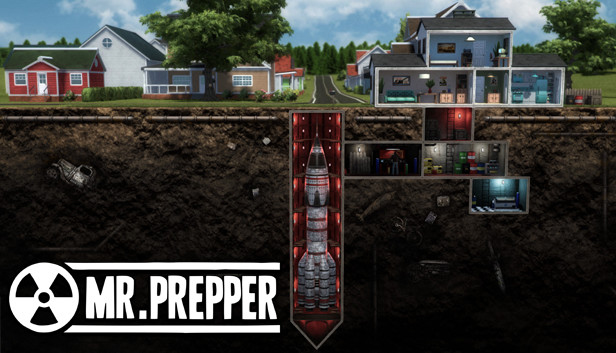
Mr. Prepper is about being prepared. You know something is wrong. The risk of a nuclear war is in the air and you need to get ready for what's coming. Struggle for your freedom and deal with the authoritarian government in this survival crafting game.
Build an underground shelter;
Craft machines and facilities that can keep you alive: farms, greenhouses, tools, vehicles, etc.;
Trade with neighbors, give them what they need, get what is useful to you;
Explore atmospheric locations, scavenge materials and items you could use;
Make a plan – something radical needs to be done;
Meet other rebellious characters, complete quests for them and help each other in the opposition to the regime;
Outsmart the secret police – they don't want you to be prepared, they want you to stay controlled.
Mr. Prepper is a guy living in a country which once had been the land of the free, but its new government has changed everything. Obey, stay in your lane, and love the President – otherwise, the secretive and all-powerful Agency will take interest in you. Mr. Prepper has decided to defy this and get out of this delusion of life. The only way for him to hide his plans and doings is to build an underground shelter and construct a machine that will help him get out. But for that, he will need materials, time, and secrecy. Help him succeed and break the status quo.
Craft
Trade
Explore and scavenge
Complete quests
Survive
Defy the government
windows Minimum
Processor: 3.2 GHz Dual Core Processor
Memory: 4 GB RAM
Graphics: nVidia GeForce 520M or Intel HD 4000
Storage: 5 GB available space
Directx: Version 9.0c
windows Recommended
Processor: 3.2 GHz Quad Core Processor
Memory: 6 GB RAM
Graphics: GeForce 970, Radeon RX 580 or equivalent with 4GB of video RAM
Storage: 5 GB available space
Directx: Version 11
To activate the game, you need a Steam Account
Login or register at the official Steam Website and download Steam client
Install and start application, login with your Account name and Password
Click the Games Menu.
Choose Activate a Product on Steam...
Follow the onscreen instructions to complete the process
After the successful code verification, go to the "MY GAMES" tab and start downloading.
News & Updates
2026-07-20
Our Way of Saying Thank You
Great games are nothing without loyal gamers and we're grateful to have such an amazing community that supports our store. That’s why we’re launching our special “YUPLAY Is Feeling Generous” campaign as a way of saying “Thank you”. During this campaign, with every order over €30 you will receive a free 10% discount code that can be used during your next purchase…
The FIFA World Cup 2026 is coming in hot this summer and while these coming weeks it is all going to be centered around the best game in the world of sports, we decided to bring you a dedicated YUPLAY giveaway to commemorate the occasion together! This promotional giveaway campaign invites all of our followers to try and predict the exact final scores of selected matches from the World Cup…
Some functionality is not accessible when using the default controller configuration, requiring use of the touchscreen or virtual keyboard, or a community configuration
This game sometimes shows mouse, keyboard, or non-Steam-Deck controller icons
Some in-game text is small and may be difficult to read
This game does not default to external Bluetooth/USB controllers on Deck, and may require manually switching the active controller via the Quick Access Menu
This game's default graphics configuration performs well on Steam Deck