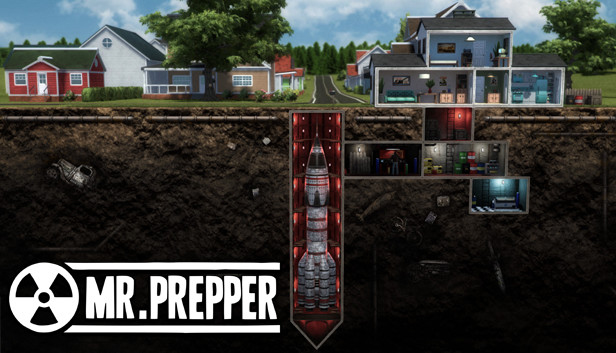
Mr. Prepper is about being prepared. You know something is wrong. The risk of a nuclear war is in the air and you need to get ready for what's coming. Struggle for your freedom and deal with the authoritarian government in this survival crafting game.
Build an underground shelter;
Craft machines and facilities that can keep you alive: farms, greenhouses, tools, vehicles, etc.;
Trade with neighbors, give them what they need, get what is useful to you;
Explore atmospheric locations, scavenge materials and items you could use;
Make a plan – something radical needs to be done;
Meet other rebellious characters, complete quests for them and help each other in the opposition to the regime;
Outsmart the secret police – they don't want you to be prepared, they want you to stay controlled.
Mr. Prepper is a guy living in a country which once had been the land of the free, but its new government has changed everything. Obey, stay in your lane, and love the President – otherwise, the secretive and all-powerful Agency will take interest in you. Mr. Prepper has decided to defy this and get out of this delusion of life. The only way for him to hide his plans and doings is to build an underground shelter and construct a machine that will help him get out. But for that, he will need materials, time, and secrecy. Help him succeed and break the status quo.
Craft
Trade
Explore and scavenge
Complete quests
Survive
Defy the government
windows Minimum
Processor: 3.2 GHz Dual Core Processor
Memory: 4 GB RAM
Graphics: nVidia GeForce 520M or Intel HD 4000
Storage: 5 GB available space
Directx: Version 9.0c
windows Recommended
Processor: 3.2 GHz Quad Core Processor
Memory: 6 GB RAM
Graphics: GeForce 970, Radeon RX 580 or equivalent with 4GB of video RAM
Storage: 5 GB available space
Directx: Version 11
To activate the game, you need a Steam Account
Login or register at the official Steam Website and download Steam client
Install and start application, login with your Account name and Password
Click the Games Menu.
Choose Activate a Product on Steam...
Follow the onscreen instructions to complete the process
After the successful code verification, go to the "MY GAMES" tab and start downloading.
News & Updates
2026-03-30
Join the Easter Raid Party and Win a Free Game
The Easter season is here and since we like this part of the year so much, we have made sure to have prepared a special YUPLAY promotional campaign for those of you that are ready to go into the Raid Party and grab a FREE gaming title. All you have to do is make an order above 20€ between 02.04.2026 15:00 CET and 08.04.2026 15:00 CET, and you will get a FREE game as ab Easter present from us…
Early Spring season has definitely delivered on some exciting updates, game announcements, and promising releases to be on the lookout for until the end of this year. So, let’s immediately have a better look at some of the more outstanding news that happened on the gaming scene during the month of March 2026 that we decided to cover for you…
Some functionality is not accessible when using the default controller configuration, requiring use of the touchscreen or virtual keyboard, or a community configuration
This game sometimes shows mouse, keyboard, or non-Steam-Deck controller icons
Some in-game text is small and may be difficult to read
This game does not default to external Bluetooth/USB controllers on Deck, and may require manually switching the active controller via the Quick Access Menu
This game's default graphics configuration performs well on Steam Deck