2026-10-23
BOO! Giveaway - Win a Game of Your Choice
Make a purchase of any amount between 23.10.2026 15:00 CET and 28.10.2026 15:00 CET, submit your Order ID in our Gleam and get a chance to win a FREE GAME (up to 50€).…



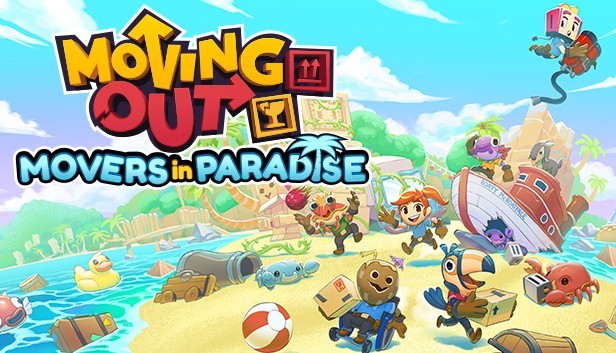
Pack your bags and grab your Haul Pass-port! We're heading off to a team-building power weekend on Packmore Island!
Welcome to Movers in Paradise, the latest expansion for Moving Out.
Move and groove across 24 new tropical and arcade levels to unravel the mystery of the fabled “greatest haul of them all!”
Discover ridiculous new mechanics, obstacles and enemies to test your moving and communication skills.
Get help from four new tropical movers, Tooki, Gilly, Coco and Clawdius, who can also be played across the original levels, too!
Tooki: Movers of a feather flock together! That's Tooki's motto. Always taking on new recruits under her wing, Tooki brings the team to new heights. Just be careful when she invites you out to lunch; her bill is always enormous!
Coco: Coco is one tough nut to crack. Raised in a family of fifty noisy brothers, he enjoys a quiet evening alone on the beach with nothing but his thoughts and stamp collection. But get Coco talking about tropical furniture and he'll open right up!
Gilly: There are plenty of fish in the sea, but none are quite as bubbly as Gilly! Born into royalty, she escaped her family's sandcastle to live out her dreams as a furniture mover. Well, that's what she tells everyone around the water cooler. Though the tale does sound a bit fishy...
Clawdius: This busy little administrator loves filling out paperwork and signing forms, but when there's boxes to move in a pinch, Clawdius will scuttle right to the forefront! You can find him at night naming all the constellations.
So buckle up, slap on some sunscreen and sail on over to Packmore Island for Movers in Paradise!