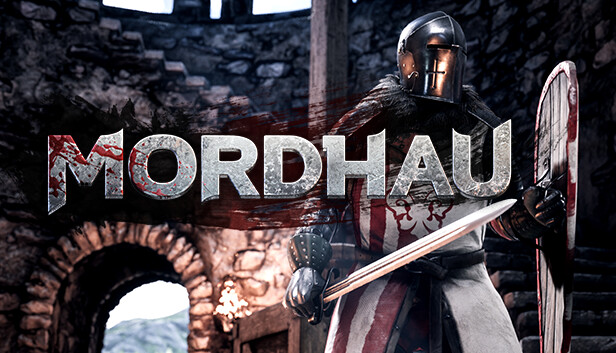
MORDHAU is a medieval first & third person multiplayer slasher. Enter a hectic battlefield of up to 80 players as a mercenary in a fictional, but realistic world, where you will get to experience the brutal and satisfying melee combat that will have you always coming back for more.
Features:
Massive battles: From small-scale engagements to 64-player all-out war in modes such as Frontline and Invasion.
Cooperative & offline play: Fight waves of enemies alongside your friends in the cooperative Horde mode, or practice your skills offline against AI.
Free-form melee and ranged combat: Gain complete control over your character and attacks and develop your unique style.
In-depth character customization: Sculpt your face, create your weapon from parts, and pick out individual pieces of armor to create the perfect warrior.
Huge arsenal of weapons & equipment: Take on enemies with a greatsword, rain arrows from above, or even sit back and build fortifications.
Fight anywhere: Experience cavalry charges, fight on ladders, and operate siege engines such as the catapult and ballista.
Visceral and gory combat: Feel the impact of every blow, and send limbs flying as you wreak havoc upon your foes. (Blood & gore are optional)
Believable fights: A game where fights look believable, MORDHAU strikes a balance between gameplay and realism.
windows Minimum
OS: Windows 7 64 Bit, Windows 8 64 Bit, Windows 10 64 Bit
Processor: Intel Core i5 - 4670 or AMD equivalent
Memory: 8 GB RAM
Graphics: NVIDIA GTX 680 or AMD equivalent
Storage: 40 GB available space
Directx: Version 11
Network: Broadband Internet connection
windows Recommended
OS: Windows 7 64 Bit, Windows 8 64 Bit, Windows 10 64 Bit
Processor: Intel Core i5 - 6600k or AMD equivalent
Memory: 16 GB RAM
Graphics: NVIDIA GTX 1060 or AMD equivalent
Storage: 40 GB available space
Directx: Version 11
Network: Broadband Internet connection
To activate the game, you need a Steam Account
Login or register at the official Steam Website and download Steam client
Install and start application, login with your Account name and Password
Click the Games Menu.
Choose Activate a Product on Steam...
Follow the onscreen instructions to complete the process
After the successful code verification, go to the "MY GAMES" tab and start downloading.
News & Updates
2026-10-02
YXP Extra Event: Give Your Next Rank a Boost!
Earn 50 BONUS YXP with every €10+ order! Boost your progress, climb the ranks, and get more from your next purchase during the YXP Extra Event.