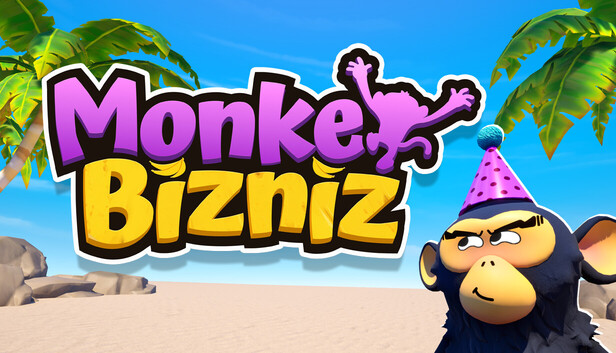
Monkey Bizniz

Åland Islands, Albania, Algeria, Andorra, Angola, Anguilla, Antigua and Barbuda, Argentina, Armenia, Aruba, Australia, Austria, Azerbaijan, Bahrain, Bangladesh, Barbados, Belarus, Belgium, Belize, Benin, Bermuda, Bhutan, Bolivia, plurinational state of, Bosnia and Herzegovina, Brazil, Brunei Darussalam, Bulgaria, Burkina Faso, Burma, Burundi, Cambodia, Cameroon, Canada, Cape Verde, Cayman Islands, Central African Republic, Chad, Chile, China, Colombia, Comoros, Congo, Congo, Democratic Republic of the, Cook Islands, Costa Rica, Cote d'Ivoire, Croatia, Cuba, Curaçao, Cyprus, Czech Republic, Denmark, Djibouti, Dominica, Dominican Republic, Ecuador, Egypt, El Salvador, Equatorial Guinea, Eritrea, Estonia, Falkland Islands (Malvinas), Faroe Islands, Fiji, Finland, France, Gabon, Gambia, Georgia, Germany, Gibraltar, Greece, Guadeloupe, Guatemala, Guernsey, Guinea, Guinea-Bissau, Guyana, Haiti, Holy See (Vatican City State), Honduras, Hong Kong, Hungary, Iceland, India, Indonesia, Ireland, Isle of Man, Israel, Italy, Jamaica, Japan, Jersey, Jordan, Kazakhstan, Kenya, Korea, Republic of, Kuwait, Kyrgyzstan, Lao People's Democratic Republic, Latvia, Lebanon, Lesotho, Liberia, Liechtenstein, Lithuania, Luxembourg, Macao, Madagascar, Malawi, Malaysia, Maldives, Mali, Malta, Marshall Islands, Martinique, Mauritania, Mauritius, Mayotte, Mexico, Micronesia, Federated States of, Moldova, Monaco, Mongolia, Montenegro, Montserrat, Morocco, Mozambique, Namibia, Nepal, Netherlands, New Zealand, Nicaragua, Niger, Niue, Northern Mariana Islands, Norway, Oman, Papua New Guinea, Paraguay, Peru, Philippines, Poland, Portugal, Qatar, Republic of North Macedonia, Romania, Russian Federation, Rwanda, Saint Kitts and Nevis, Saint Lucia, Saint Martin (French Part), Saint Vincent and the Grenadines, San Marino, Senegal, Serbia, Seychelles, Sierra Leone, Singapore, Sint Maarten, Slovakia, Slovenia, Solomon Islands, Somalia, South Africa, South Sudan, Spain, Sudan, Suriname, Svalbard and Jan Mayen, Swaziland, Sweden, Switzerland, Taiwan, Province of China, Tajikistan, Tanzania, United Republic Of, Thailand, Timor-Leste, Togo, Tonga, Turkey, Turkmenistan, Uganda, Ukraine, United Arab Emirates, United Kingdom, United States, Uruguay, Uzbekistan, Venezuela, Vietnam, Western Sahara, Zambia, Zimbabwe
Game Description
System Requirements
Activation Details
GOING BANANAS
A co-op physics game where you and your buddies need to collect bananas for the Monkey King’s feast. Fill your cart with as many as you can find and get it to the top of the mountain, just don’t eat them all on your way.
Run, climb, and tumble from sandy beaches through dense jungle to the mountain summit. The more you grab, the more rewarding — and precarious — the journey becomes. Keep an eye out for hidden treasure along the way.
DON’T DROP THE CART
Push your overloaded banana cart through obstacles, traps, and genuinely bad terrain. One wrong move and your cargo goes everywhere.
BRING FRIENDS. BLAME FRIENDS.
Up to 4 players in online co-op. Work together to reach the summit — or sabotage each other for banana glory.
HELPFUL. PROBABLY.
Scattered across the mountain are items to help you overcome challenges. The same tools that save the run can just as easily ruin someone else’s day.
THE MOUNTAIN IS NOT ON YOUR SIDE
Rolling boulders, rope bridges, angry enemies, tricky puzzles. The obstacles don’t care how many bananas you’re carrying.
DRESS FOR THE JOB YOU WANT
Unlock outfits, look ridiculous. Go faster. Fall further.
Features
- Up to 4 players in online co-op with Proximity Chat.
- Physics-driven cart chaos that escalates with every banana you add.
- Items and props to aid your team — or absolutely ruin their day.
- One summit. Multiple routes to embarrass yourself getting there.
- Dress your monkey. They will still fall off the mountain but look great doing it.
- Solo play available, for those who trust no one.
To activate the game, you need a Steam Account
-
Login or register at the official
Steam Website and download Steam client - Install and start application, login with your Account name and Password
- Click the Games Menu.
- Choose Activate a Product on Steam...
- Follow the onscreen instructions to complete the process
- After the successful code verification, go to the "MY GAMES" tab and start downloading.