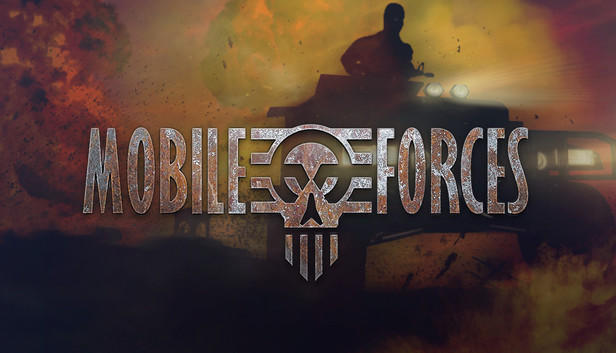
Mobile Forces is a first person shooter game where you battle against the opposing AI team or against your friends over a LAN network.
The game features two singleplayer modes - Missions and Skirmish. In the former, players are required to complete each mission in order to unlock further maps. Within each map, the AI bot difficulty level rises and goes through seven skill levels. Skirmish game mode allows to play custom matches.
Game Modes/Missions:
Deathmatch - Eliminate all the players on the map.
Team Deathmatch - Similar to Deathmatch, only played in teams - Red and Blue.
Captains - Each team gets a captain and who ever kills the opposing captain the most times, wins!
Capture the flag - Both teams have to steal each other's flags in order to win.
Holdout - One team is tasked with defending a beacon on a map, which the opposing team must take within a period of time to win.
Detonation - Members of both sides scramble to acquire a keycard located centrally on the map, which must then be taken to a console in the opposing team's base to activate an explosive device to score.
Safe Cracker - Infiltration of the enemy team's base where you must open the safe and retrieve the loot. After the match, opposing teams switch bases.
Trailer - The use of vehicles is integral to success in this team game mode, requiring players to drive explosive-laden units into the base of their opponents in order to get points.
Processor: Intel® Pentium III™ 1 GHz or equivalent Processor
Memory: 512 MB RAM
Graphics: 32Mb 3D accelerated Video Card
Storage: 600 MB available space
Directx: Version 8.0
Sound card: Windows 9.x compatible sound card
windows Recommended
OS: Windows® 7/8/10 with latest service packs
Processor: Intel® Core™ i5 1.4 GHz or equivalent
Memory: 1 GB RAM
Graphics: 32Mb 3D accelerated Video Card with Hardware T&L support
Storage: 600 MB available space
Directx: Version 8.0
Sound card: 3D Sound Card
To activate the game, you need a Steam Account
Login or register at the official Steam Website and download Steam client
Install and start application, login with your Account name and Password
Click the Games Menu.
Choose Activate a Product on Steam...
Follow the onscreen instructions to complete the process
After the successful code verification, go to the "MY GAMES" tab and start downloading.
News & Updates
2026-10-23
BOO! Giveaway - Win a Game of Your Choice
Make a purchase of any amount between 23.10.2026 15:00 CET and 28.10.2026 15:00 CET, submit your Order ID in our Gleam and get a chance to win a FREE GAME (up to 50€).…