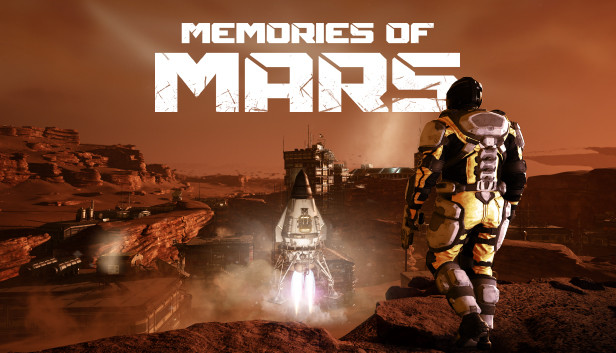
100 years in the future, something happened on Mars. Once frequently visited, it is now abandoned with some left behind.
MEMORIES OF MARS is a open world survival game set on the abandoned mining operations in the red planet, as the dream of exploiting and colonizing Mars has proven impossible. You play as a recently awoken clone who learns its lifespan is limited by the lethal solar flares that hit the surface of the planet every few weeks.
Tasked with surviving the barren wastelands of Mars, players must explore the unforgiving Martian terrain and build a habitable homestead while fighting off against a variety of dangers including strange enemies, harsh environmental elements and other human clone survivors.
Explore and Survive the Red Planet.
Key Features
EXPLORE AND DISCOVER
Explore over 16 KM2 of the Martian landscape complete with deserts, craters, canyons, rocky planes, and mesas. Visit over 85 points of interest including abandoned towns, mines, industrial facilities, biodomes and vehicles.
SURVIVE
Look after basic needs including health, stamina, nutrition, body temperature and oxygen.
FIGHT
Encounter and fight against unique NPCs and competing players that are always looking to interrupt your adventures. These NPCs are strange enemies left over from previous, failed, colonization efforts. Now they’ve gone rogue, and you’ll need to fend them off.
BUILD
Building your own base will be a cornerstone of your gameplay experience. Build a small base on your own, or collaborate and build a much larger base. Either way, a base is required to for the ultimate project – surviving Mars!
EVENTS & FLOPS
Memories of Mars contains a unique system of in-game events where players will converge and try to survive these events and thereby collect Flops. There are multiple ways to collect Flops, but beware because other players can rob, kill and loot your Flops.
windows Minimum
OS: 64-bit Windows 7
Processor: Intel Core i5-4670K (AMD FX 6300).
Memory: 8 GB RAM
Graphics: Nvidia GTX 660
Storage: 14 GB available space
Directx: Version 11
Network: Broadband Internet connection
Additional notes: Install to SSD Drive
windows Recommended
OS: 64-bit Windows 10
Processor: Intel Core i5-7600K (AMD Ryzen 5-1600)
Memory: 16 GB RAM
Graphics: Nvidia GTX 1060 6GB or better
Storage: 14 GB available space
Directx: Version 11
Network: Broadband Internet connection
Additional notes: Install to SSD Drive
To activate the game, you need a Steam Account
Login or register at the official Steam Website and download Steam client
Install and start application, login with your Account name and Password
Click the Games Menu.
Choose Activate a Product on Steam...
Follow the onscreen instructions to complete the process
After the successful code verification, go to the "MY GAMES" tab and start downloading.
News & Updates
2026-03-30
Join the Easter Raid Party and Win a Free Game
The Easter season is here and since we like this part of the year so much, we have made sure to have prepared a special YUPLAY promotional campaign for those of you that are ready to go into the Raid Party and grab a FREE gaming title. All you have to do is make an order above 20€ between 02.04.2026 15:00 CET and 08.04.2026 15:00 CET, and you will get a FREE game as ab Easter present from us…
Early Spring season has definitely delivered on some exciting updates, game announcements, and promising releases to be on the lookout for until the end of this year. So, let’s immediately have a better look at some of the more outstanding news that happened on the gaming scene during the month of March 2026 that we decided to cover for you…
Some functionality is not accessible when using the default controller configuration, requiring use of the touchscreen or virtual keyboard, or a community configuration
This game sometimes shows mouse, keyboard, or non-Steam-Deck controller icons
Entering some text requires manually invoking the on-screen keyboard
Some in-game text is small and may be difficult to read
This game's default graphics configuration performs well on Steam Deck