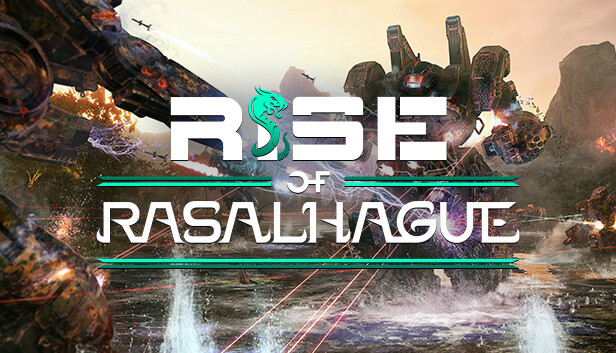
In a conflict that pre-dates the formation of the Star League, Join Colonel Månsdottir and the people of Rasalhague in a fight for freedom and independence from the Great Houses, in a new 12 mission quest line. Rise of Rasalhague adds the Crusader 'Mech chassis with 11 variants, the new Rival Mercenaries feature allowing you to interact with numerous other mercenary companies and the infamous Bounty Hunter.
RISE OF RASALHAGUE CAMPAIGN
Witness first-hand the rise of the Free Rasalhague Republic with a new 12 mission quest line
NEW CRUSADER CHASSIS
Rise of Rasalhague adds the Crusader 'Mech chassis with 11 variants, including the Hero 'Crael' variant with melee weapon capabilities
THE INNER SPHERE IS MORE ALIVE THAN EVER
Rival mercenary companies are now operating in the Inner Sphere
Working in areas garrisoned by Rival mercenary companies can lead to friendly or hostile interventions during missions
The infamous Bounty Hunter will pay for intel on Rival mercenaries, which can lead to valuable rewards
Experience exciting and dynamic missions in the new Infiltration game mode
FREE GAME UPDATE
Various significant improvements to AI performance and behavior
Redesigned 'Mech Hanger allowing you to expand your active 'Mech roster
Many Quality of Life improvements making gameplay experience even more enjoyable
MechWarrior® is a trade-mark of Microsoft Corporation
In the United States and other jurisdictions and is used under license.
Additional notes: Broadband internet connection is needed to play and host Co-op games. Internet Connection is NOT Required for Single player once the game is downloaded.
windows Recommended
OS: Windows 10 (64-bit versions)
Processor: Intel Core i7-6700K/AMD Ryzen 7 1700
Memory: 16 MB RAM
Graphics: NVIDIA GeForce GTX 1070/AMD RX Vega 56
Storage: 55 MB available space
Directx: Version 11
Network: Broadband Internet connection
Additional notes: Broadband internet connection is needed to play and host Co-op games. Internet Connection is NOT Required for Single player once the game is downloaded.
To activate the game, you need a Steam Account
Login or register at the official Steam Website and download Steam client
Install and start application, login with your Account name and Password
Click the Games Menu.
Choose Activate a Product on Steam...
Follow the onscreen instructions to complete the process
After the successful code verification, go to the "MY GAMES" tab and start downloading.
News & Updates
2026-10-23
BOO! Giveaway - Win a Game of Your Choice
Make a purchase of any amount between 23.10.2026 15:00 CET and 28.10.2026 15:00 CET, submit your Order ID in our Gleam and get a chance to win a FREE GAME (up to 50€).…