Can be activated in:
Åland Islands, Albania, Algeria, Andorra, Angola, Anguilla, Antigua and Barbuda, Argentina, Armenia, Aruba, Australia, Austria, Azerbaijan, Bahrain, Bangladesh, Barbados, Belarus, Belgium, Belize, Benin, Bermuda, Bhutan, Bolivia, plurinational state of, Bonaire, Sint Eustatius and Saba, Bosnia and Herzegovina, Bouvet Island, Brazil, British Indian Ocean Territory, Brunei Darussalam, Bulgaria, Burkina Faso, Burma, Burundi, Cambodia, Cameroon, Canada, Cape Verde, Cayman Islands, Central African Republic, Chad, Chile, China, Christmas Island, Cocos (Keeling) Islands, Colombia, Comoros, Congo, Congo, Democratic Republic of the, Cook Islands, Costa Rica, Cote d'Ivoire, Croatia, Cuba, Curaçao, Cyprus, Czech Republic, Denmark, Djibouti, Dominica, Dominican Republic, Ecuador, Egypt, El Salvador, Equatorial Guinea, Eritrea, Estonia, Falkland Islands (Malvinas), Faroe Islands, Fiji, Finland, France, French Guiana, French Polynesia, French Southern Territories, Gabon, Gambia, Georgia, Germany, Gibraltar, Greece, Greenland, Grenada, Guadeloupe, Guatemala, Guernsey, Guinea, Guinea-Bissau, Guyana, Haiti, Heard Island and McDonald Islands, Holy See (Vatican City State), Honduras, Hong Kong, Hungary, Iceland, India, Indonesia, Ireland, Isle of Man, Israel, Italy, Jamaica, Japan, Jersey, Jordan, Kazakhstan, Kenya, Kiribati, Korea, Republic of, Kuwait, Kyrgyzstan, Lao People's Democratic Republic, Latvia, Lebanon, Lesotho, Liberia, Liechtenstein, Lithuania, Luxembourg, Macao, Madagascar, Malawi, Malaysia, Maldives, Mali, Malta, Marshall Islands, Martinique, Mauritania, Mauritius, Mayotte, Mexico, Micronesia, Federated States of, Moldova, Monaco, Mongolia, Montenegro, Montserrat, Morocco, Mozambique, Namibia, Nauru, Nepal, Netherlands, New Caledonia, New Zealand, Nicaragua, Niger, Niue, Norfolk Island, Northern Mariana Islands, Norway, Oman, Palau, Palestinian Territory, Occupied, Papua New Guinea, Paraguay, Peru, Philippines, Pitcairn, Poland, Portugal, Qatar, Republic of North Macedonia, Reunion, Romania, Russian Federation, Rwanda, Saint Barthélemy, Saint Helena, Ascension And Tristan Da Cunha, Saint Kitts and Nevis, Saint Lucia, Saint Martin (French Part), Saint Pierre and Miquelon, Saint Vincent and the Grenadines, San Marino, Sao Tome and Principe, Senegal, Serbia, Seychelles, Sierra Leone, Singapore, Sint Maarten, Slovakia, Slovenia, Solomon Islands, Somalia, South Africa, South Georgia and the South Sandwich Islands, South Sudan, Spain, Sudan, Suriname, Svalbard and Jan Mayen, Swaziland, Sweden, Switzerland, Taiwan, Province of China, Tajikistan, Tanzania, United Republic Of, Thailand, Timor-Leste, Togo, Tokelau, Tonga, Turkey, Turkmenistan, Turks and Caicos Islands, Tuvalu, Uganda, Ukraine, United Arab Emirates, United Kingdom, United States, United States Minor Outlying Islands, Uruguay, Uzbekistan, Vanuatu, Venezuela, Vietnam, Virgin Islands, British, Wallis and Futuna, Western Sahara, Zambia, Zimbabwe
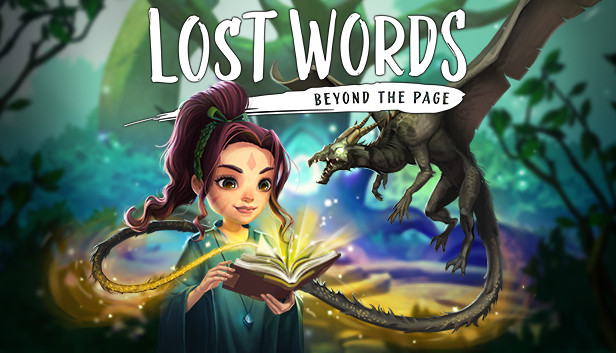
Lost Words is an atmospheric narrative adventure that takes place in the personal diary entries belonging to a young girl named Izzy that will unfold as you explore a fantasy land where words hold immense power. Featuring an immersive story crafted by renowned games writer Rhianna Pratchett, Lost Words: Beyond the Page will mesmerize players with its unique blend of gameplay mechanics and striking watercolor aesthetic. Driven by the player’s curiosity, the world of Estoria and the power it holds will serve as the engine that will propel Izzy through this deeply personal narrative, resulting in a truly memorable experience.
Key Features
2D Adventure Platforming
Navigate 2D worlds set inside a young girl’s diary by walking on the words and using them to solve a variety of puzzles.
Immersive Storyteling
Explore an emotionally moving, fully-voiced narrative developed by renowned games writer Rhianna Pratchett as you make decisions that will alter how the story will unfold, making each playthrough unique.
Beautiful Visual Style.
Discover the watercolor world presented in the pages of the diary as well as the vibrant fantasy world of Estoria.
Innovative Gameplay.
Harness words to alter the environment around you to create a safe passage for the protagonist in an entirely unique and refreshing style of platforming.
Meaningful Exploration. Gather collectible fireflies scattered across the lands of Estoria for an additional challenge.
Graphics: Graphics Card with support for DirectX 11
Storage: 5 GB available space
Directx: Version 11
windows Recommended
OS: Windows 10 64 Bit
Processor: Intel i7 - 3.4Ghz
Memory: 6 GB RAM
Graphics: NVIDIA GeForce GTX 1060 (3GB) or AMD equivalent
Storage: 5 GB available space
Directx: Version 12
To activate the game, you need a Steam Account
Login or register at the official Steam Website and download Steam client
Install and start application, login with your Account name and Password
Click the Games Menu.
Choose Activate a Product on Steam...
Follow the onscreen instructions to complete the process
After the successful code verification, go to the "MY GAMES" tab and start downloading.
News & Updates
2025-06-30
Monthly Recap – June Edition
We are already at the end of the second quarter for the year and the summer is already giving us so many updates and cool information on a lot of gaming titles and events. We tried our best to gather some of the more exciting pieces, although it is quite difficult to contain everything in just one single post as there is simply so much to talk of. We kick-off things with as many of the highlights from one of the most important gaming events of the year…
The summer heat is already upon us and the rising temperatures are coming ahead, but here at YUPLAY prices are going in the opposite direction and are dropping down like mad! Furthermore, we want to deliver even more value to our happy customers and for every purchase made during the promotional period (between 27.06.2025 7:30 CET and 02.07.2025 15:00 CET) that is above 12€ you will score a free game as a gift from us!
This game does not default to external Bluetooth/USB controllers on Deck, and may require manually switching the active controller via the Quick Access Menu
All functionality is accessible when using the default controller configuration
This game shows Steam Deck controller icons
In-game interface text is legible on Steam Deck
This game's default graphics configuration performs well on Steam Deck