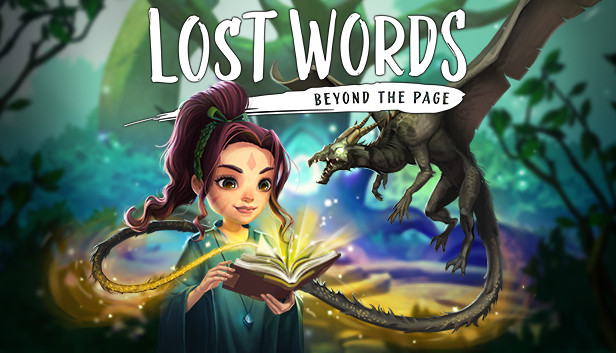
Lost Words is an atmospheric narrative adventure that takes place in the personal diary entries belonging to a young girl named Izzy that will unfold as you explore a fantasy land where words hold immense power. Featuring an immersive story crafted by renowned games writer Rhianna Pratchett, Lost Words: Beyond the Page will mesmerize players with its unique blend of gameplay mechanics and striking watercolor aesthetic. Driven by the player’s curiosity, the world of Estoria and the power it holds will serve as the engine that will propel Izzy through this deeply personal narrative, resulting in a truly memorable experience.
Key Features
2D Adventure Platforming
Navigate 2D worlds set inside a young girl’s diary by walking on the words and using them to solve a variety of puzzles.
Immersive Storyteling
Explore an emotionally moving, fully-voiced narrative developed by renowned games writer Rhianna Pratchett as you make decisions that will alter how the story will unfold, making each playthrough unique.
Beautiful Visual Style.
Discover the watercolor world presented in the pages of the diary as well as the vibrant fantasy world of Estoria.
Innovative Gameplay.
Harness words to alter the environment around you to create a safe passage for the protagonist in an entirely unique and refreshing style of platforming.
Meaningful Exploration. Gather collectible fireflies scattered across the lands of Estoria for an additional challenge.
Graphics: Graphics Card with support for DirectX 11
Storage: 5 GB available space
Directx: Version 11
windows Recommended
OS: Windows 10 64 Bit
Processor: Intel i7 - 3.4Ghz
Memory: 6 GB RAM
Graphics: NVIDIA GeForce GTX 1060 (3GB) or AMD equivalent
Storage: 5 GB available space
Directx: Version 12
To activate the game, you need a Steam Account
Login or register at the official Steam Website and download Steam client
Install and start application, login with your Account name and Password
Click the Games Menu.
Choose Activate a Product on Steam...
Follow the onscreen instructions to complete the process
After the successful code verification, go to the "MY GAMES" tab and start downloading.
News & Updates
2026-02-15
Celebrate the Year of the Fire Horse and Win
This year the Chinese Calendar enters and welcomes the year of the Fire Horse for the occasion we have prepared a special YUPLAY promotion that would certainly deliver you with some outstanding gaming opportunities. To participate make an order of any value between 17.02.2026 15:00 CET and 23.02.2026 15:00, and you could be one of 18 lucky winners that are going to get their orders refunded…
As per usual every year, February is the season of romance and love, so we decided to make a YUPLAY promotion campaign for the occasion and because we know you love gaming so much! There would be a storewide discount on all of our available game titles and of course there would be many gifts to obtain! just make an order of at least 20€ between 13.02.2026 15:00 CET and 16.02.2026 15:00 CET, and you will get a FREE game…
This game does not default to external Bluetooth/USB controllers on Deck, and may require manually switching the active controller via the Quick Access Menu
All functionality is accessible when using the default controller configuration
This game shows Steam Deck controller icons
In-game interface text is legible on Steam Deck
This game's default graphics configuration performs well on Steam Deck