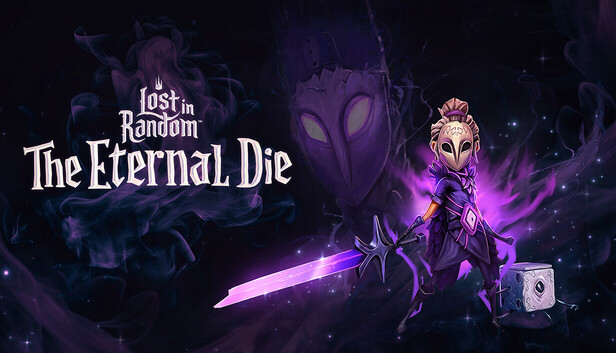
Lost in Random: The Eternal Die blends dynamic real-time action, tactical combat, and risk-reward dice mechanics for thrilling second-to-second battles.
Unravel an original stand-alone story as Queen Aleksandra, the once great ruler of Random on a mission for vengeance and redemption.
Wield an arsenal of four unique weapons, unleash powerful card-based abilities, harness elemental relics and strategically roll your trusted die-companion, Fortune, to shift the tide of battle. Or take on high-stakes wager games where the right roll could lead to incredible rewards… or crushing consequences.
Even death isn’t final - return to the Sanctuary to unlock new weapons, buy powerful upgrades, and take on quests from your allies to prepare for your next run.
A DARK FANTASY BROUGHT TO LIFE
Explore four dynamic biomes, each teeming with danger, secrets, and unpredictable challenges. Lose yourself in a haunting world of gothic whimsy, vivid landscapes, and an enchantingly atmospheric soundtrack.
With alternative endings to discover and a fully voiced cast of quirky characters, The Eternal Die invites you back into the world of Random for another unforgettable chapter.
KEY FEATURES
Fast-paced, second-to-second combat that blends real-time action with tactical decision-making.
A unique dice-roll mechanic that shifts battles in unexpected ways.
Four diverse and fully upgradeable weapons each with distinct playstyles.
100+ elemental relics and 15 powerful card-based abilities to customise your build.
Four randomly-generated biomes filled with secrets, enemies, and high-stakes challenges.
30+ unique enemy types and 4 ruthless world bosses, each demanding skill and strategy.
Randomly generated encounters, evolving relic synergies, and adjustable difficulty settings let you play your way.
A dark fantasy world brought to life in a Burtonesque style featuring hauntingly beautiful environments and an enchanting soundtrack.
Login or register at the official Steam Website and download Steam client
Install and start application, login with your Account name and Password
Click the Games Menu.
Choose Activate a Product on Steam...
Follow the onscreen instructions to complete the process
After the successful code verification, go to the "MY GAMES" tab and start downloading.
News & Updates
2026-09-25
Introducing a New Way to Discover Great Games
As you probably already know, at YUPLAY we constantly strive to discover new and exciting ways to regularly promote the best video game titles directly to you. We do that quite often with our storewide discount campaigns, but we were looking for another way to do it without the need for a whole promotional event…
Summer is over and the new gaming season starts with a blast at YUPLAY, so for this occasion we decided to bring you a massive storewide promotion with a surprise FREE game as a gift from us. All you have to do to participate is make an order over 9.99€ between 17.09.2026 15:00 CET and 21.09.2026 15:00 CET, and you will get your FREE game together with the ones you have purchased…
This game does not default to external Bluetooth/USB controllers on Deck, and may require manually switching the active controller via the Quick Access Menu
All functionality is accessible when using the default controller configuration
This game shows Steam Deck controller icons
In-game interface text is legible on Steam Deck
This game's default graphics configuration performs well on Steam Deck