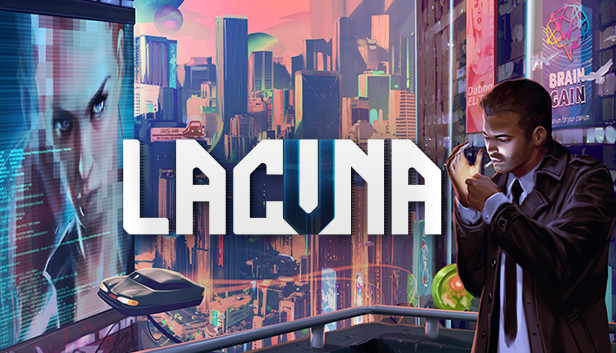
Another cigarette tumbles into the abyss. The sun is slowly coming up, glistening in the sea of buildings below.
I look up at the stars one last time before they disappear. They don't provide any guidance. They don't give a f*ck.
I have to make this decision on my own, and very soon. Problem is, I don't know how. I've never been able to figure out why I do what I do. Not really.
No more time to think. I have to go.
Here's the deal
You are Neil Conrad, CDI agent. Awoken by the news of a murder, you rush into a case that will soon turn your life and the whole solar system upside down. Ask questions, collect evidence, and put the pieces together until the ugly truth reveals itself... or not.
No takebacks
The story branches and ends based on your actions. There's no going back. Sure, you can rush your way to the end – if you don't mind paying the price. Play your cards right, and you might make it out alive.
How far will you go?
Some questions don't have a right answer. Will you sell out a friend to protect your family? Will you endanger a loved one in exchange for public safety? Will you keep the peace or reveal the horrible, world-shattering truth?
Hungry for Point & Click Adventure?
While the classics were great in their time, Lacuna does away with the baggage of many adventure game tropes:
Pointing & clicking Platformer movement controls (WASD / controller)
Selecting all dialog options one by one anyway Non-repeating conversations and choices
Inventory management and counter-intuitive puzzles Immersive, story-driven mysteries
Pixel hunting Optional outlines on anything interactable
Story grinds to a halt at every puzzle can always be driven forward
"x will remember this" Real choices and multiple endings
Copyright Assemble Entertainment GmbH 2020 - all rights reserved!
windows Minimum
OS: Windows 10 64-Bit
Processor: Multi-core 2.5GHz
Memory: 6 GB RAM
Graphics: GeForce 750M / GeForce GTX 650
Storage: 3 GB available space
Directx: Version 11
windows Recommended
OS: TBD
To activate the game, you need a Steam Account
Login or register at the official Steam Website and download Steam client
Install and start application, login with your Account name and Password
Click the Games Menu.
Choose Activate a Product on Steam...
Follow the onscreen instructions to complete the process
After the successful code verification, go to the "MY GAMES" tab and start downloading.
News & Updates
2026-06-30
Monthly Recap - June Edition
The month of June kept things in the gaming world quite heated and summer is just beginning! We have the latest important updates prepared and they are certainly ones you should check out as the rest of the year shapes up to have outstanding titles coming up! Read on and find out everything about it in the following stories.
Think You’ve Seen the Best Summer Deals? Think Again!
Summer is here and we are already preparing for a super fresh season full of incredible delights and heated moments! Make an order of over 15€ between 26.06.2026 11:00 CET and 29.06.2026 15:00 CET and you will get our special SUMMER DEALS GIFT, which will contain one of the following: discount codes - 10% OFF, 20% OFF, 25% OFF or 50% OFF; discount vouchers - 1€, 2€, 5 or 10€; or a FREE GAME…