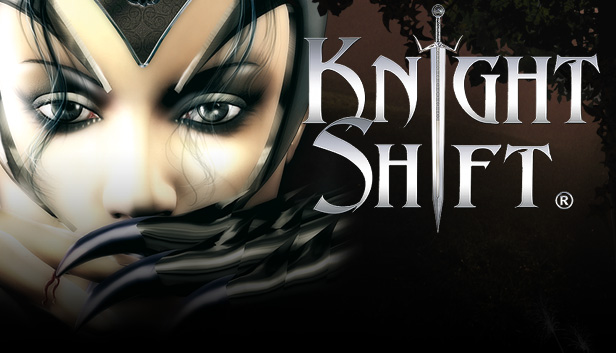
Do you like Real Time Strategy? or are Role Playing Games your preference…
Why not try both genres in one? … or even both separately?
… In one game: KnightShift!
In a mystical world beyond fantasy and imagination, where corruption and disaster go hand in hand, not all is as it seems.
A dark adventure begins in the RPG part: divided into eight chapters of dungeons, rare treasures, very strange companions and gruesome opponents. Eight individually equipped characters are available to you in this action packed role-play. It is now down to you, the player to form your hero and help him to fame and victory.
As soon as Gallus has been freed he can get on with job of bringing Prince John back to his father's kingdom. Strategy begins here: with the support of your loyal subjects the fight against the powers of evil begins.
windows Minimum
OS: Windows XP / Vista / 7 / 8 / 10
Processor: Intel/AMD Single Core CPU
Memory: 512 MB RAM
Graphics: 3D with TnL support and 128 MB RAM
Storage: 1500 MB available space
Directx: Version 9.0c
Network: Broadband Internet connection
Sound card: DirectX compatible
Additional notes: Mouse and Keyboard
windows Recommended
OS: Windows XP / Vista / 7 / 8 / 10
Processor: Intel/AMD Single Core CPU with 2.0 GHz
Memory: 1 GB RAM
Graphics: Per-Pixel-Shader 2.0 support and 256 MB
Storage: 2 GB available space
Directx: Version 9.0c
Network: Broadband Internet connection
Sound card: DirectX compatible
Additional notes: Mouse and Keyboard
macosx Minimum
OS: macOS Sierra
Processor: Single Core CPU
Memory: 512 MB RAM
Graphics: 128 MB RAM
Storage: 2100 MB available space
Sound card: Required
Additional notes: Mouse and Keyboard
macosx Recommended
OS: macOS Sierra
Processor: Multicore CPU with 2.0 GHz
Memory: 1 GB RAM
Graphics: Per-Pixel-Shader 2.0 support and 256 MB
Storage: 2100 MB available space
Sound card: Required
Additional notes: Mouse and Keyboard
To activate the game, you need a Steam Account
Login or register at the official Steam Website and download Steam client
Install and start application, login with your Account name and Password
Click the Games Menu.
Choose Activate a Product on Steam...
Follow the onscreen instructions to complete the process
After the successful code verification, go to the "MY GAMES" tab and start downloading.
News & Updates
2026-06-11
Celebrate FIFA World Cup 2026 with YUPLAY
The FIFA World Cup 2026 is coming in hot this summer and while these coming weeks it is all going to be centered around the best game in the world of sports, we decided to bring you a dedicated YUPLAY giveaway to commemorate the occasion together! This promotional giveaway campaign invites all of our followers to try and predict the exact final scores of selected matches from the World Cup…
First V-Bucks, Now Steam Decks: Why Gaming is Getting More Expensive
Has gaming been steadily becoming more and more expensive lately? In the past months and quarters there has definitely been an increase in pricing in both the software and hardware departments of gaming and this trend has definitely stricken the market in more than a couple of ways. The industry has experienced a trend of gaming price increases as well as more expensive subscriptions…