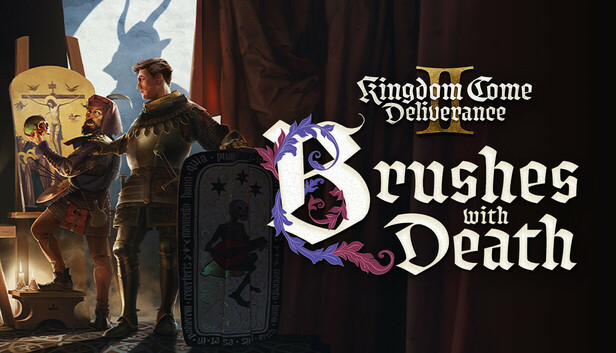
Kingdom Come: Deliverance II Brushes With Death

Åland Islands, Andorra, Anguilla, Antigua and Barbuda, Aruba, Australia, Austria, Bahrain, Barbados, Bermuda, Bulgaria, Canada, Cayman Islands, Cook Islands, Croatia, Curaçao, Cyprus, Czech Republic, Denmark, Estonia, Falkland Islands (Malvinas), Faroe Islands, Fiji, Finland, France, Germany, Gibraltar, Greece, Guadeloupe, Guernsey, Guyana, Holy See (Vatican City State), Hungary, Iceland, Ireland, Isle of Man, Israel, Italy, Japan, Jersey, Korea, Republic of, Kuwait, Latvia, Liechtenstein, Lithuania, Luxembourg, Malta, Marshall Islands, Martinique, Mayotte, Micronesia, Federated States of, Monaco, Montenegro, Montserrat, Netherlands, New Zealand, Norway, Oman, Poland, Portugal, Qatar, Romania, Saint Kitts and Nevis, Saint Lucia, Saint Martin (French Part), Saint Vincent and the Grenadines, San Marino, Sint Maarten, Slovakia, Slovenia, Solomon Islands, Spain, Svalbard and Jan Mayen, Sweden, Switzerland, United Arab Emirates, United Kingdom, United States

Game Description
System Requirements
Activation Details
Help a mysterious artist uncover his enigmatic past and unleash your creativity in shield painting. Henry encounters a quirky painter, who draws him into a web of intricate plans, pushing his skills to its limit in finding solutions.
In a series of quests - spanning both maps of the Kingdom Come: Deliverance II world - Henry must find, persuade (and sometimes eliminate), a host of familiar and unfamiliar characters to help his new friend complete the most important painting of his life. Discover the answers to the many questions that surround this mysterious character. Who and what is he? How does he know so much? And why does he carry around a painted human skull?
In addition to new quests, Henry can also gain brand-new shield designs for his work, with over 100 unique designs and colour combinations to choose from.
Brushes with Death is the first expansion for Kingdom Come: Deliverance II and included for Expansion Pass and Gold Edition owners.
To activate the game, you need a Steam Account
-
Login or register at the official
Steam Website and download Steam client - Install and start application, login with your Account name and Password
- Click the Games Menu.
- Choose Activate a Product on Steam...
- Follow the onscreen instructions to complete the process
- After the successful code verification, go to the "MY GAMES" tab and start downloading.