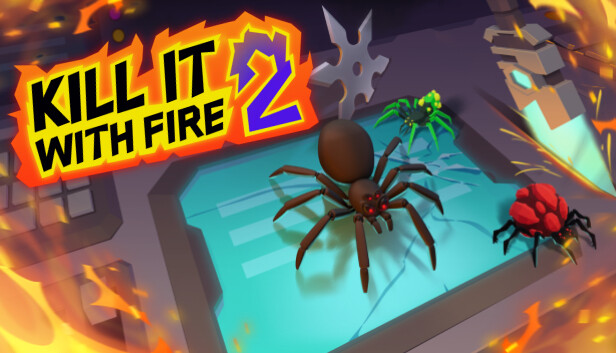
You are the Exterminator on a crusade against the spider horde taking over the multiverse.
Play solo or with friends via online co-op for up to 4 players, blast through the story campaign, and show these pests who’s boss. Or, jump into a frenetic Humans vs Spiders PvP mode for some laughs and screams.
Whatever you choose, one thing is certain – it’s time to KILL IT WITH FIRE!!!
Gear up and exterminate
Wage war on the eight-legged monsters with an arsenal of 45 weapons and gadgets worthy of the Exterminator. Will your team smash the pests with a newspaper, burn them to a crisp, rev up the minigun, unleash a rocket launcher, or wield a laser sword?
Save the multiverse
Embark on an epic spider hunt across seven distinct worlds. Exterminate the pesky arachnids in a mysterious manor, liberate a town in the Wild West, explore cyberspace, and descend into Spider Hell. Every level is a unique battle against the spiders!
Complete Challenges
Brew magic potions in a bubbling cauldron. Demolish a megapolis as a kaiju-sized madman. Defend a cacti-owned saloon from waves of spiders. Win a drone race in virtual reality. There are more than 60 challenges to complete!
(Also) Play as a spider
‘Okay, all this spider-hunting sounds fun, but what if I want to play as a spider?’ you might ask. And yes, you can indeed play as a spider in an online 8-player PvP mode called Spider Hunt. It’s actual humans vs actual arachnids (also controlled by humans)!
Key Features
7 dimensions to save from the spider onslaught
60+ unique in-game challenges to complete
45 weapons and gadgets to unlock and craft
A campaign that’s fully playable solo or in 4-player co-op
Slapstick plot written by Miles Luna (RWBY, Red vs Blue)
'Spider Hunt’ PvP multiplayer mode for up to 8 players
20+ hours of content with at least 3 loud laughs guaranteed
15.7 billion spiders to exterminate across the multiverse
Login or register at the official Steam Website and download Steam client
Install and start application, login with your Account name and Password
Click the Games Menu.
Choose Activate a Product on Steam...
Follow the onscreen instructions to complete the process
After the successful code verification, go to the "MY GAMES" tab and start downloading.
News & Updates
2026-06-11
Celebrate FIFA World Cup 2026 with YUPLAY
The FIFA World Cup 2026 is coming in hot this summer and while these coming weeks it is all going to be centered around the best game in the world of sports, we decided to bring you a dedicated YUPLAY giveaway to commemorate the occasion together! This promotional giveaway campaign invites all of our followers to try and predict the exact final scores of selected matches from the World Cup…
First V-Bucks, Now Steam Decks: Why Gaming is Getting More Expensive
Has gaming been steadily becoming more and more expensive lately? In the past months and quarters there has definitely been an increase in pricing in both the software and hardware departments of gaming and this trend has definitely stricken the market in more than a couple of ways. The industry has experienced a trend of gaming price increases as well as more expensive subscriptions…
Some in-game text is small and may be difficult to read
This game does not default to external Bluetooth/USB controllers on Deck, and may require manually switching the active controller via the Quick Access Menu
All functionality is accessible when using the default controller configuration
This game shows Steam Deck controller icons
This game's default graphics configuration performs well on Steam Deck