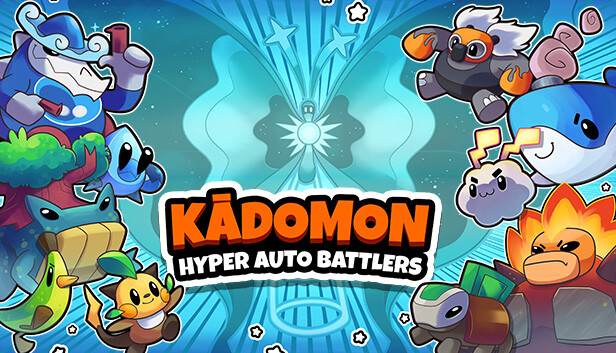
Welcome to the world of Kādomon, a mysterious land where cute and quirky monsters roam freely. Journey through randomly generated regions, battling and collecting Kādomon on your quest to be the best!
OVER 180 KADOMON
There’s 180+ monsters to add to your Kādodex, and each Kādomon has 2 super rare misprints to discover! It’s up to you to build the ultimate unstoppable team in this adventure of automated battles.
BATTLE WITH UNIQUE MONSTERS
All Kādomon have special characteristics, such as activated abilities, passive abilities and different typings (there’s 12 types in total!). Synergise your Kādomon’s attacks and create a super effective combo of monsters. Grow even stronger with every battle by levelling-up and evolving your team!
EXPIRIENCE HYPER EVOLUTIONS
Once fully evolved, every Kādomon has the chance to get HYPER! Acquire very rare items that allow your Kādomon to break their limits and discover a hyper-powerful 4th form! With brand new designs and souped-up stats, you’ll be able to tackle the greatest of challenges.
FIGHT BIG BOSSES!
Battle your team against elite enemies and bosses. Get your team ready to fight against MEGA opponents, and unlock brand new Kādomon if you win! Remember, there is always a greater foe to test your strength!
DISCOVER SECRETS...
The Kādomon world is bustling with secrets, including random events that will change the tide of battle! Experiment with different items and monsters, Kadomon might evolve in different ways, and if you’re lucky you might just encounter a Legendary Kādomon to join your team…
VISIT SHONKKAS SHOP
In between battles, take a mosey around Shonkkas Shop! Here you can use the Money Berries you’ve earned to buy new Kādomon and items. Held items are incredibly useful to have as they give you permanent buffs or powerful single use effects when used wisely!
Graphics: NVIDIA GeForce 8800 GT (512 MB) or equivalent
Storage: 1 GB available space
Sound card: N/A
windows Recommended
OS: Windows 10
Processor: Intel Core i5-920 or equivalent
Memory: 4 GB RAM
Graphics: NVIDIA GeForce GTX 280 (1 GB) or equivalent
Storage: 1 GB available space
Sound card: N/A
To activate the game, you need a Steam Account
Login or register at the official Steam Website and download Steam client
Install and start application, login with your Account name and Password
Click the Games Menu.
Choose Activate a Product on Steam...
Follow the onscreen instructions to complete the process
After the successful code verification, go to the "MY GAMES" tab and start downloading.
News & Updates
2026-03-30
Join the Easter Raid Party and Win a Free Game
The Easter season is here and since we like this part of the year so much, we have made sure to have prepared a special YUPLAY promotional campaign for those of you that are ready to go into the Raid Party and grab a FREE gaming title. All you have to do is make an order above 20€ between 02.04.2026 15:00 CET and 08.04.2026 15:00 CET, and you will get a FREE game as ab Easter present from us…
Early Spring season has definitely delivered on some exciting updates, game announcements, and promising releases to be on the lookout for until the end of this year. So, let’s immediately have a better look at some of the more outstanding news that happened on the gaming scene during the month of March 2026 that we decided to cover for you…
Some functionality is not accessible when using the default controller configuration, requiring use of the touchscreen or virtual keyboard, or a community configuration
This game sometimes shows mouse, keyboard, or non-Steam-Deck controller icons
Entering some text requires manually invoking the on-screen keyboard
Some in-game text is small and may be difficult to read
This game's default graphics configuration performs well on Steam Deck