2026-10-23
BOO! Giveaway - Win a Game of Your Choice
Make a purchase of any amount between 23.10.2026 15:00 CET and 28.10.2026 15:00 CET, submit your Order ID in our Gleam and get a chance to win a FREE GAME (up to 50€).…



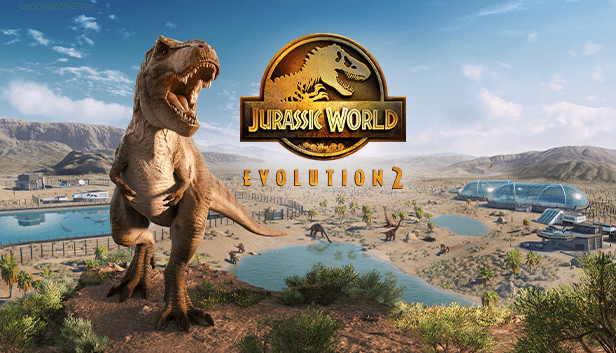
Jurassic World Evolution 2 is the much-anticipated sequel to Frontier’s ground-breaking 2018 management simulation, Jurassic World Evolution, offering an all new narrative campaign voiced by cast members from across the Jurassic World film franchise, exciting new features, four engaging game modes, and an expanded roster of awe-inspiring dinosaurs.
An Original Jurassic World Story
Learn what it takes to be a park management master in Campaign mode, a compelling, original narrative that puts you at the heart of the action following the earth-shattering events of Jurassic World: Fallen Kingdom. Work alongside iconic characters from the films, including Dr. Ian Malcolm (voiced by Jeff Goldblum) and Claire Dearing (voiced by Bryce Dallas Howard), and lead the efforts to control, conserve, and contain wild dinosaurs now rampaging across the USA.
Create your own Jurassic World
Take control with deeper management tools and creative options. Construct a range of customisable new buildings and hire new Scientists, and shape your park to meet the needs of both your guests and dinosaurs. Unleash your creativity in Sandbox mode, or test your skills in Challenge mode as you deal with diverse locations and environmental calamities.
Play with Chaos Theory
Play through key moments of your favourite films - with a twist. Experience ‘what-if’ scenarios from iconic Jurassic World and Jurassic Park films, each level set across eras and locations from all five movies. Dive into the Jurassic World franchise and see how events unfold when you take control.
Discover Awe-Inspiring Dinosaurs
Over 75 different prehistoric species come to life in Jurassic World Evolution 2, including highly requested flying and marine reptiles. These animals feel more alive than ever as they preside over territory, fight for dominance, and react intelligently to the world around them. Use bioengineering to customise dinosaurs with bold new colours, and alter their genomes to unlock traits.