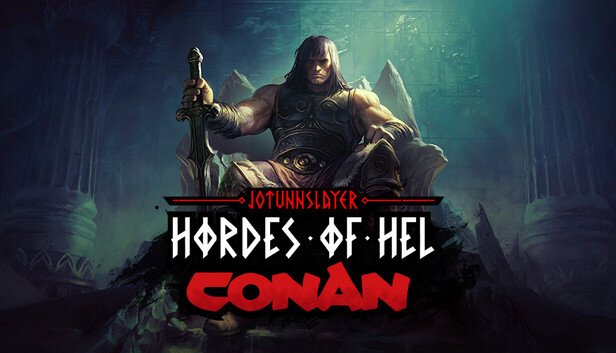
Experience a major content expansion for Jotunnslayer: Hordes of Hel that lets you step into the boots of the legendary Conan. Venture into the scorching sands of Stygia, master the new Fate system and bring down a massive Undead Jötunn deep within the underground halls.
SLAY ENEMIES AS THE LEGENDARY CONAN
Play as the unconquerable barbarian, Conan, and crush your enemies. He enters the battlefield equipped with a sturdy sword and shield in his arsenal, along with unique traits which allow him to block attacks, deal increased critical damage and utilize a Ram ability to charge forward and violently knock back anyone in his path. Master three distinct fighting styles. Crush foes with a heavy sword. Brawl up close with a shield. Or strike fast with dual blades.
LET THE FATE DECIDE YOUR PATH
Are you brave enough to challenge fate in this deadly game? If you dare, submit to the will of Fate and reveal three random symbols: Arrow, Fist, Goblet, or Skull. Find multiple symbols of the same type to gain even higher rewards.
EXPLORE THE NEW DESERT REALM STYGIA
Venture into the new desert realm of Stygia and discover a land steeped in sorcery and nameless horror. You will freely travel between the dark underground halls and the scorching desert surface. Face the sandstorm and overcome new challenges found above and below the ground.
CONQUER STYGIAN UNDEAD JOTUNN
Your journey concludes with an epic battle against the new Undead Jötunn boss. This massive skeleton summons minions to his will and uses necromantic magic to deceive his foes.
Processor: Intel® Core™ i7-6700 or AMD™ Ryzen 5 2600x
Memory: 8 GB RAM
Graphics: NVIDIA® GeForce® GTX 960 or Intel® Arc™ A380
Storage: 15 GB available space
Directx: Version 11
Additional notes: System Requirements subject to change as development continues
windows Recommended
OS: Windows 10 64bit
Processor: Intel® Core™ i7-8700 or AMD™ Ryzen 7 3700x
Memory: 8 GB RAM
Graphics: NVIDIA® GeForce® GTX 1060 or Intel® Arc™ A580
Storage: 15 GB available space
Additional notes: System Requirements subject to change as development continues
To activate the game, you need a Steam Account
Login or register at the official Steam Website and download Steam client
Install and start application, login with your Account name and Password
Click the Games Menu.
Choose Activate a Product on Steam...
Follow the onscreen instructions to complete the process
After the successful code verification, go to the "MY GAMES" tab and start downloading.
News & Updates
2026-04-27
30 Years of Fear: Celebrating the Legacy of Resident Evil
It has been 3 whole decades of zombie survival horror since the Resident Evil series started and we decided to cover the most recent developments in the CAPCOM masterpiece that is synonyms with all kinds of deadly and gory heart-stopping experiences that would make you chill every time you decide to partake in it! Originally titled Biohazard (in Japan), the Resident Evil franchise spans across multiple…
From Wishlist to Courtroom: The Steam Lawsuits Explained
There have been numerous Steam court case lawsuits throughout the years and ever since the start of the year they have made the pile even bigger! We decided to check out some of the latest accusations against the popular gaming platform as well as go through some of the previous cases that caused a stir of Valve legal issues in the past! Gabe Newell and Valve have definitely not been strangers to the court system…