2026-10-23
BOO! Giveaway - Win a Game of Your Choice
Make a purchase of any amount between 23.10.2026 15:00 CET and 28.10.2026 15:00 CET, submit your Order ID in our Gleam and get a chance to win a FREE GAME (up to 50€).…



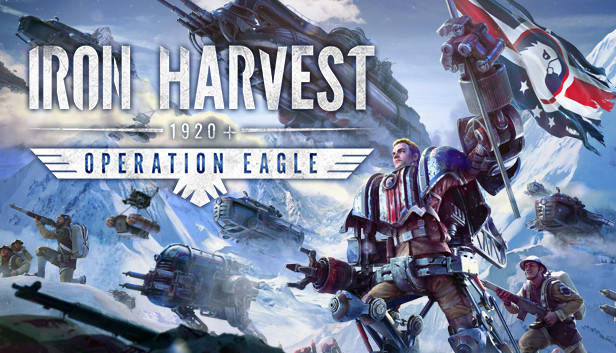
“Iron Harvest – Operation Eagle” is the new expansion to the critically acclaimed world of Iron Harvest set in the alternate reality of 1920+.
In the aftermath of The Great War, the world is in chaos and borders are being redrawn. Usonia wants to make the 20th century “America’s Century” while an old enemy in the shadows tries to seize power.
Experience a full new Iron Harvest campaign in single player or side-by-side in co-op in 7 challenging missions with over 25 minutes of new cinematics and dozens of new allies and enemies.
The American Union of Usonia stayed out of the Great War and became an economic and military powerhouse, unnoticed by Europe’s old elites. Usonia could become a beacon of hope for the oppressed, bringing freedom and justice to everyone, or it could succumb to the temptations of power and become a new empire, ruling with an iron first. The addon features the new faction “Usonia”, the 1920+ version of the US. More than 30 new infantry units, mechs and buildings for these factions.
Take to the sky and conquer the world with the introduction of new airship units for all factions. These early flying machines come in different classes, from the agile sky bike to the colossal battleship of the Usonian hero Admiral Mason, traversing any terrain and sending death from above. The bravest of men become Paratroopers who perform dangerous missions behind enemy lines. Adapt your strategies and prepare your defenses with new anti – air mechanics for all Iron Harvest factions!