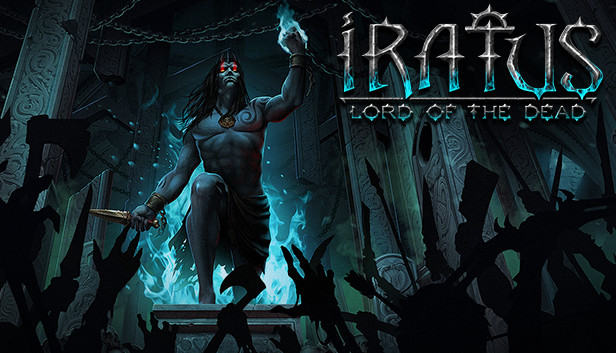
In Iratus you find yourself fighting for the forces of darkness in the role of the titular necromancer—Iratus, recently freed from his millennia-long imprisonment.
You control an obedient army of the living dead, with skeletons, zombies, banshees and many other unliving warriors. Create your soldiers the only way a necromancer knows how: from the body parts of your slain enemies!
Expand and improve your underground lair. Strengthen your servants by researching secret rituals. Explore the twisted corridors and underground catacombs, and battle against lobotomized miners, greedy dwarves and corrupt mercenaries. Aid Iratus in his quest to recapture and eclipse his former power. Lead him to conquer the forces of good and unleash an eternal kingdom of death upon the world!
The sheer variety of tactical and strategic options makes Iratus a true treat for any ardent fans of the roguelike genre.
Key features:
Play on the side of evil, embodied by the necromancer Iratus!
Craft minions from the body parts of your conquered enemies.
16 types of obedient servants: zombies, vampires, skeletons, mummies, banshees and many more!
Advanced combat system: to win you need to know both the strengths and weaknesses of your troops and enemies.
Iratus can kill his enemies not only by magic or claw but also by draining their sanity!
Each minion has six unique abilities for a total of nearly one-hundred abilities for you to command.
Four talent trees that alter the way you play: Alchemy, Magic, Wrath and Destruction.
Expand and improve your underground lair.
Roguelike elements: minions that die are gone for good and the game saves automatically, making each choice irreversible.
Detailed 2D graphics and a gloomy atmosphere of dark fantasy.
Various difficulty levels, satisfying every type of player from novice to hardcore.
Iratus himself is voiced by the voice-acting legend Stefan Weyte, famous for his performance as Caleb in the cult game series "Blood"!
Login or register at the official Steam Website and download Steam client
Install and start application, login with your Account name and Password
Click the Games Menu.
Choose Activate a Product on Steam...
Follow the onscreen instructions to complete the process
After the successful code verification, go to the "MY GAMES" tab and start downloading.
News & Updates
2026-10-23
BOO! Giveaway - Win a Game of Your Choice
Make a purchase of any amount between 23.10.2026 15:00 CET and 28.10.2026 15:00 CET, submit your Order ID in our Gleam and get a chance to win a FREE GAME (up to 50€).…