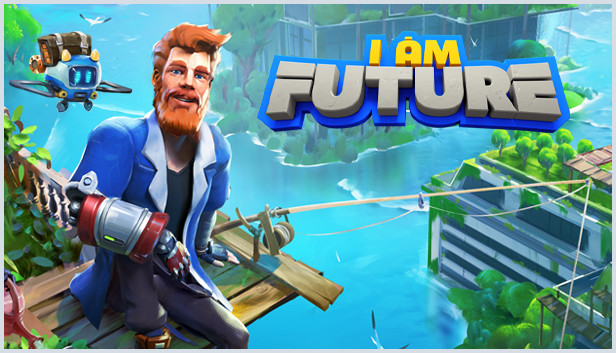
You wake up on an overgrown skyscraper roof - not a living soul in sight. Cosmopolis, once a mighty array of metal and glass, lies shattered in ruins and flooded. The decades-long struggle between UNICORP and the rival corporations pursuing transhumanism ideas seems to have been over for good when society collapsed. Now it is up to you to try and solve the mystery of the last days of civilization... and your sudden awaking. Or you can just build your own future and enjoy the view of what remains of humankind.
TURN THE ABANDONED ROOF INTO YOUR OWN COZY HOME Starting from scratch on an empty roof, explore your surroundings, find the necessary resources, tools and gadgets.
CRAFT GADGETS OUT OF ANCIENT HOME APPLIANCES Old microwaves, rusty cars and antique computers - all will be handy! Carefully disassemble the devices to get the necessary details and put them to use for creating futuristic gadgets according to the blueprints you’ll get you hands on. By the way, have we mentioned that you will get to have a cyborg hand? Upgrade it too!
AUTOMATE YOUR CHORES Make some friends so you won’t get too lonely! Upload AI into buildings. Create bots that do your chores.
FISHING, FARMING, AND COOKING The benefits of the collapse of human civilization? There’s now enough time to pick up new hobbies! The roof is very well suited for building a garden, and the surrounding sea is full of tasty fish for the tastiest Mediterranean dishes to cook!
PROTECT YOUR BASE Nature seems to have changed significantly after all, and there are new dangers not known to humans before. Build your defense structures and be cautious!
EXPLORE THE SUNKEN CITY AND ITS MYSTERIES What exactly happened with the civilization and how did you end up on the roof? The answers lay somewhere in the city ruins - would you try to get to the bottom of it?
Developed by Mandragora and Published by tinyBuild Ⓒ 2022. All rights reserved.
windows Minimum
OS: Windows 7 and up
Processor: TBD
Graphics: TBD
windows Recommended
OS: Windows 7 and up
Processor: TBD
Graphics: TBD
To activate the game, you need a Steam Account
Login or register at the official Steam Website and download Steam client
Install and start application, login with your Account name and Password
Click the Games Menu.
Choose Activate a Product on Steam...
Follow the onscreen instructions to complete the process
After the successful code verification, go to the "MY GAMES" tab and start downloading.
News & Updates
2026-09-28
Are We Entering the Age of Gaming Leak Culture?
Once upon a time, a video game leak seemed nearly as an almost innocent accident, a gaming magazine published a screenshot too early or a store put a copy on a shelf before the scheduled release date…
As you probably already know, at YUPLAY we constantly strive to discover new and exciting ways to regularly promote the best video game titles directly to you. We do that quite often with our storewide discount campaigns, but we were looking for another way to do it without the need for a whole promotional event…
This game does not default to external Bluetooth/USB controllers on Deck, and may require manually switching the active controller via the Quick Access Menu
All functionality is accessible when using the default controller configuration
This game shows Steam Deck controller icons
In-game interface text is legible on Steam Deck
This game's default graphics configuration performs well on Steam Deck