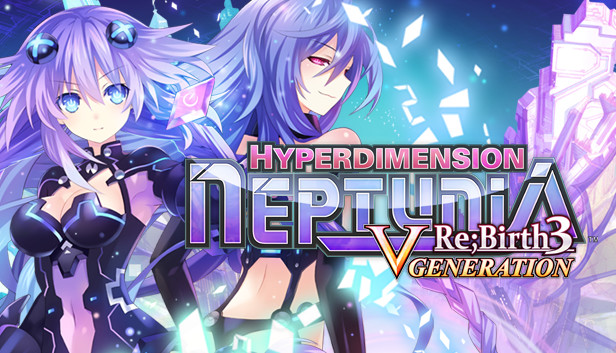
It’s time to Nep-Nep like it’s 1989. Neptune’s been sucked into an alternate dimension of Gamindustri! In order for her to escape from this late ‘80s world, Neptune will have to collect enough shares to open up the path to her own dimension. Sounds easy enough – except a nefarious alliance called the Seven Sages wants to rid Gamindustri of all CPUs, including Neptune!
Forging cross-dimensional friendships, will Neptune be able to defeat the Seven Sages, save this alternate dimension and get back to her own, or will she be stuck in the ‘80s forever?
Key Features
+1 to Combos! Customize attack combinations with up to five moves, opening up a whole new array of ways to defeat your enemies!
New Story! Play through new story and scenarios when someone else joins the Console War fray and refuses to play by the rules!
Bring a Dungeon Buddy! The realtime mini-game Stella’s Dungeon is back, and this time she can bring friends! Each is equipped with special skills that lend their support to Stella in her items quest, so choose wisely!
Remake in your Image! Modify the world of Gamindustri to your liking by creating “Plans” that alter dungeon treasures, enemy difficulty, and more!
Get Crafty! Customize powerful equipment that can unlock the true power of the CPUs, opening up a world of new skills for them to use!
Graphics: DirectX 10.x or OpenGL 3.3 or better graphics card with 1 GB RAM and support for v4 shaders
Storage: 14 GB available space
Directx: Version 10
Sound card: DirectX 9.0c compatible sound card
windows Recommended
OS: Windows 7(64bit) or later
Processor: 3GHz Intel i3 or equivalent
Memory: 8 GB RAM
Graphics: DirectX 10.x or OpenGL 3.3 or better graphics card with 1 GB RAM and support for v4 shaders
Storage: 14 GB available space
Directx: Version 10
Sound card: DirectX 9.0c compatible sound card
To activate the game, you need a Steam Account
Login or register at the official Steam Website and download Steam client
Install and start application, login with your Account name and Password
Click the Games Menu.
Choose Activate a Product on Steam...
Follow the onscreen instructions to complete the process
After the successful code verification, go to the "MY GAMES" tab and start downloading.
News & Updates
2026-07-20
Our Way of Saying Thank You
Great games are nothing without loyal gamers and we're grateful to have such an amazing community that supports our store. That’s why we’re launching our special “YUPLAY Is Feeling Generous” campaign as a way of saying “Thank you”. During this campaign, with every order over €30 you will receive a free 10% discount code that can be used during your next purchase…
The FIFA World Cup 2026 is coming in hot this summer and while these coming weeks it is all going to be centered around the best game in the world of sports, we decided to bring you a dedicated YUPLAY giveaway to commemorate the occasion together! This promotional giveaway campaign invites all of our followers to try and predict the exact final scores of selected matches from the World Cup…
This game sometimes shows mouse, keyboard, or non-Steam-Deck controller icons
This game does not default to external Bluetooth/USB controllers on Deck, and may require manually switching the active controller via the Quick Access Menu
All functionality is accessible when using the default controller configuration
In-game interface text is legible on Steam Deck
This game's default graphics configuration performs well on Steam Deck