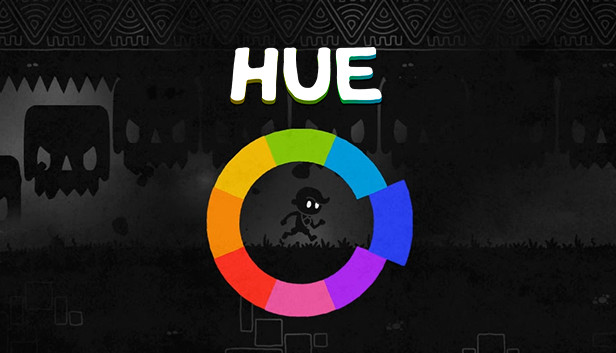
Hue is a vibrant, award-winning puzzle-adventure, where you alter the world by changing its background colour. You explore a dangerous grey land, unearthing coloured fragments on a journey to find your missing mother. As obstacles match the background, they disappear, creating new and exciting puzzles - full of peril, mystery… and colours unseen.
Key Features
Unique colour-matching mechanic, offering a new twist on the classic adventure game.
A heartfelt story that touches on themes of love, loss, existence and remorse.
A world full of lively characters to talk to, each with their own personality and story.
Stark silhouetted art style with bright, bold colours.
Over 30 original music tracks, composed exclusively for Hue.
Professionally voiced narration by Anna Acton and Matthew Wade, some of the UK’s best television talent.
Full colourblind support, using symbols as a colour aid.
Razer Chroma, Corsair RGB plus many more coloured LED devices supported on Windows.
windows Minimum
OS: Windows XP SP3/Vista with SP2/7/8/8.1/10 x86 or x64
Processor: Intel Core2 Duo E4300 (2 * 1800) or equivalent | AMD Athlon 64 X2 5000+ (2 * 2600) or equivalent
Memory: 2048 MB RAM
Graphics: GeForce GT 610 (1024 MB) or equivalent | Radeon HD 6450 (512 MB) or equivalent
Storage: 400 MB available space
windows Recommended
OS: Windows XP SP3/Vista with SP2/7/8/8.1/10 x86 or x64
Processor: Intel Core 2 Duo E7300 (2 * 2660) or equivalent | AMD Athlon 64 X2 6000+ (2 * 3000) or equivalent
Memory: 4096 MB RAM
Graphics: GeForce GTX 560 Ti (1024 MB) or equivalent | Radeon HD 2900 XT (1024 MB) or equivalent
Storage: 400 MB available space
To activate the game, you need a Steam Account
Login or register at the official Steam Website and download Steam client
Install and start application, login with your Account name and Password
Click the Games Menu.
Choose Activate a Product on Steam...
Follow the onscreen instructions to complete the process
After the successful code verification, go to the "MY GAMES" tab and start downloading.
News & Updates
2026-10-23
BOO! Giveaway - Win a Game of Your Choice
Make a purchase of any amount between 23.10.2026 15:00 CET and 28.10.2026 15:00 CET, submit your Order ID in our Gleam and get a chance to win a FREE GAME (up to 50€).…
Some functionality is not accessible when using the default controller configuration, requiring use of the touchscreen or virtual keyboard, or a community configuration
This game sometimes shows mouse, keyboard, or non-Steam-Deck controller icons
This game does not default to external Bluetooth/USB controllers on Deck, and may require manually switching the active controller via the Quick Access Menu
In-game interface text is legible on Steam Deck
This game's default graphics configuration performs well on Steam Deck