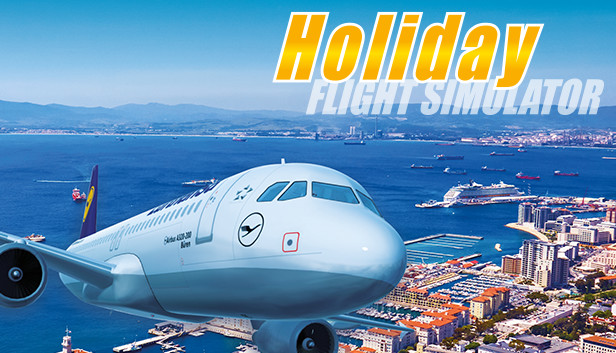
Without doubt flying virtual aircraft from your PC is one of the most interesting simulations – at the same time, it is one with a very steep learning curve. Holiday Flight Simulator, though, makes it especially easy to relive the last holiday trip from the cockpit’s view, even for less experienced PC pilots. Unlike more complex flight simulations, Holiday Flight Simulator was designed from the ground up to enable beginners to successfully complete a flight with less effort and learning. Advanced flight simulation enthusiasts in turn have a straightforward all-in-one solution at hand, including lots of airports right from the start.
The player can take place behind the control stick of one of the most well known airliners: the Airbus A320. Its cockpit places all the important functions and systems at the player’s disposal – voice recordings from real air traffic help create the appropriate atmosphere. Additionally, the simulation includes a Beechcraft Baron for short range and training flights.
Holiday Flight Simulator comes with 9 travel destinations out of the box, including the airports of Düsseldorf, Palma de Mallorca, London Heathrow, and Nice. Their 3D models are of high quality and rich in details. They also feature movable objects – luggage carts, busses, pushback trucks, jetways, etc. create lively apron scenery. A day and night cycle makes these sceneries appear in the right mood.
In the beginning, players can choose whether they want to fly freely between two airports or experience long-term thrill in the career mode.
Key Features:
Aircraft:
Airbus A 320
Beechcraft Baron
Flight area:
Europe
Airports:
Hamburg
Düsseldorf
Zürich
Paris Orly
London Heathrow
Nizza
Palma
Kos
Antalya
Game modes:
Tutorial
Random flight
Route selection
Career
Other:
Beginner friendly
Achievements
Day and night modes
Animated pilot models in the cockpit
Three camera views
Original voice recordings with real pilots
Liveries of various European airlines
„Holiday Flight Simulator“ and „Ready for Take Off“ are identical products.
Graphics: GeForce GTX 560 or similar (no support for onboard cards)
Storage: 20 GB available space
Sound card: DirectX compatible sound card
To activate the game, you need a Steam Account
Login or register at the official Steam Website and download Steam client
Install and start application, login with your Account name and Password
Click the Games Menu.
Choose Activate a Product on Steam...
Follow the onscreen instructions to complete the process
After the successful code verification, go to the "MY GAMES" tab and start downloading.
News & Updates
2026-08-21
The Biggest Games to Steal the Show at Gamescom 2026
Gamescom 2026 is coming at the end of this month with more than 900 exhibitors and we just wanted to showcase some of the upcoming games in the AAA titles category that you should definitely check out! So, be sure to go through our shortlisted future release hits in most gaming genre types, as we get ready to once again explore the world of Gamescom…
ACE COMBAT 8 Could Be the Series’ Most Ambitious Entry
The upcoming Ace Combat 8: Wings of Theve marks a completely new chapter in the popular flight shooting series, by effectively blending cinematic storytelling with the thrills of aerial combat like never before. Developed by Bandai Namco Aces Inc., the game will build upon the decades of established expertise in order to further boost the series’ strong sides…