This content requires the base game in order to play:
Hearts of Iron IV: General Edition
Game Description
System Requirements
Activation Details
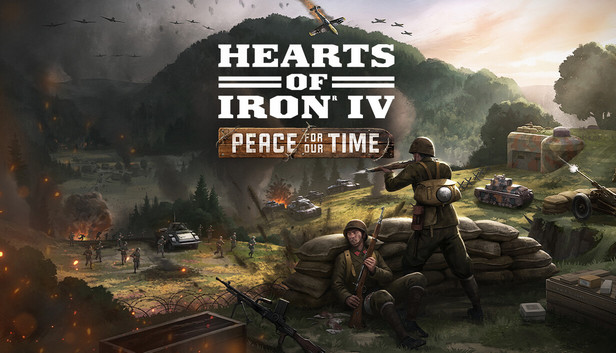
The Allied betrayal of Czechoslovakia at Munich and the later German annexation of that country is a key moment in the historical march towards World War II in Europe. But imagine a world where the White Lion of Prague was prepared to face German aggression - bravery in the face of oppression. Explore that scenario in Peace for Our Time, a new Focus Pack for Hearts of Iron IV.
Created in collaboration with veteran modders Logan ‘Spicy Alfredo’ Calkins, Abbus Fung and Marijn ‘marijn211’ Vroegh, this Focus Pack offers new options for Czechoslovakia in a desperate fight for survival against overwhelming odds, posing a unique challenge to all Hearts of Iron IV players.
Hearts of Iron IV: Peace for Our Time features include:
Democratic National Focus Path: Surrounded by non-democratic nations, safeguard Czechoslovakia’s freedom by forging your own faction, leading a government in exile or pursuing independence.
Communist National Focus Path: Spark a socialist revolution to replace the failed middle path, joining the Comintern or uniting the region under your own federation; whether through radical struggle or moderate reform.
Monarchist and Fascist National Focus Paths: Rally nationalist forces to establish a new kingdom of Bohemia or embrace military dictatorship, expand your influence through allies or subjects, and decide whether to entrench authoritarianism or return to democracy once the crisis has passed.
Manage your arms industry, become an industrial powerhouse, and shape conflicts across the globe by exporting weapons abroad.
Engage with the Divided Nation mechanic to solve the challenges of governing a divided democracy.
Army Readiness Balance of Power forces you to ensure you have the support of the military.
New Art and Music, including two new music tracks, 3D depictions of the historical Prague Castle and Bojnice Castle, new equipment graphics and new focus icons and character portraits.
Additional notes: Mouse and keyboard are required. / Latest available WHQL drivers from both manufacturers/ Internet Connection or LAN for multiplayer, Up to 32 other players in multiplayer mode.
Additional notes: Mouse and keyboard are required. / Latest available WHQL drivers from both manufacturers. / Internet Connection or LAN for multiplayer, Up to 32 other players in multiplayer mode.
macosx Minimum
OS: OS: macOS 10.14 (Mojave)
Processor: Intel Core i5 @ 2.60 GHz or better
Memory: 4 GB RAM
Graphics: ATI Radeon HD 6970M
Storage: 2 GB available space
Additional notes: Mouse and keyboard are required. / Latest available proprietary drivers / Internet Connection or LAN for multiplayer, Up to 32 other players in multiplayer mode.
macosx Recommended
OS: macOS 10.14 (Mojave)
Processor: Intel Core i5 @ 2.90 GHz or better
Memory: 8 GB RAM
Graphics: ATI Radeon R9 390M or NVIDIA GeForce 750M with 1GB VRAM
Storage: 2 GB available space
Additional notes: Mouse and keyboard are required. / Latest available proprietary drivers from both manufacturers/ Internet Connection or LAN for multiplayer, Up to 32 other players in multiplayer mode.
Graphics: ATI Radeon HD 5850 or NVIDIA GeForce GTX470 with 1GB VRAM / Latest available proprietary drivers from both manufacturers
Storage: 2 GB available space
Additional notes: Controller support: 3-button mouse, keyboard, and speakers are required. / Internet Connection or LAN for multiplayer, Up to 32 other players in multiplayer mode.
Graphics: ATI Radeon HD 6950 or NVIDIA GeForce GTX570 with 2GB VRAM / Latest available proprietary drivers from both manufacturers
Storage: 2 GB available space
Additional notes: Controller support: 3-button mouse, keyboard, and speakers are required. / Internet Connection or LAN for multiplayer, Up to 32 other players in multiplayer mode.
To activate the game, you need a Steam Account
Login or register at the official Steam Website and download Steam client
Install and start application, login with your Account name and Password
Click the Games Menu.
Choose Activate a Product on Steam...
Follow the onscreen instructions to complete the process
After the successful code verification, go to the "MY GAMES" tab and start downloading.
News & Updates
2026-10-23
BOO! Giveaway - Win a Game of Your Choice
Make a purchase of any amount between 23.10.2026 15:00 CET and 28.10.2026 15:00 CET, submit your Order ID in our Gleam and get a chance to win a FREE GAME (up to 50€).…