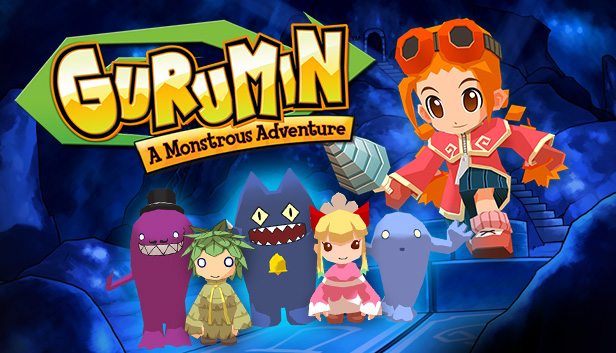
Gurumin: A Monstrous Adventure is a fantastic Action-RPG from leading Japanese developer Falcom (Developers of “Ys” and “Zwei” among other classics) featuring real-time combat, stunning 3D graphics, tons of fully voiced characters and mini-games , 90+ items, multiple endings, a rocking soundtrack, 35+ hours of playtime, and more.
Originally released outside Japan on Sony’s PSP®, Mastiff is proud to bring a fully localized and updated version of Gurumin: A Monstrous Adventure to Windows and to offer it through Steam with a full set of Steam specific features including Achievements, Trading Cards, Big Picture and Cloud Save.
The Story
Gurumin stars Parin, a strong-willed girl sent to live with her grandfather in a small mining town. Parin soon discovers an invisible monster village hidden behind her home. She is quickly drawn into a fight between the village’s friendly monster residents and the Phantoms, evil monsters that want to destroy them. Learning of a weapon hidden underneath the village that she alone is fit to wield, Parin embarks on a quest to stop the Phantoms and make the world right.
Features
30 stages of non-linear game play
23 non-player characters, 48 unique enemies, and more than 90 items to collect
Brilliantly diabolical dungeons, traps, puzzles and boss encounters
Mini-games galore!
5 difficulty levels
Hidden characters, modes, and other secrets
Supports Windows XP, 7 and 8 at high resolution (up to 1920x1080) and with modern Anti-aliasing (up to 8X MSAA)
Graphics: 64 MB VRAM, 3D accelerator compatible w/ DirectX 9.0c
Storage: 2 GB available space
Directx: Version 9.0c
Sound card: Compatible with DirectX 9.0c
windows Recommended
OS: Windows XP, Vista, 7
Processor: Pentium III 1.0 GHz or higher
Memory: 2 GB RAM
Graphics: 64 MB VRAM, 3D accelerator compatible w/ DirectX 9.0c
Storage: 2 GB available space
Directx: Version 9.0c
Sound card: Compatible with DirectX 9.0c
To activate the game, you need a Steam Account
Login or register at the official Steam Website and download Steam client
Install and start application, login with your Account name and Password
Click the Games Menu.
Choose Activate a Product on Steam...
Follow the onscreen instructions to complete the process
After the successful code verification, go to the "MY GAMES" tab and start downloading.
News & Updates
2026-09-02
Get 50 Extra YXP for a Limited Time
Ready to level up your YUPLAY Loyalty progress? The YXP Extra Event is back, giving you another chance to earn 50 bonus YXP with every qualifying order. Spend at least €10 between 02.09.2026 15:00 CET and 07.09.2026 15:00 CET and get an extra 50 YXP on top of your regular Loyalty Program rewards!
ACE COMBAT 8 Could Be the Series’ Most Ambitious Entry
The upcoming Ace Combat 8: Wings of Theve marks a completely new chapter in the popular flight shooting series, by effectively blending cinematic storytelling with the thrills of aerial combat like never before. Developed by Bandai Namco Aces Inc., the game will build upon the decades of established expertise in order to further boost the series’ strong sides…