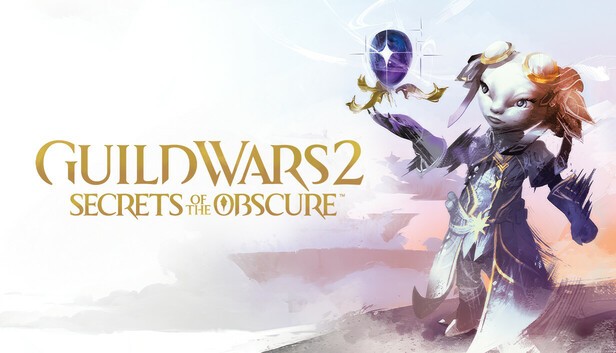
Guild Wars 2 - Secrets of the Obscure - Expansion

Albania, Algeria, Andorra, Angola, Anguilla, Antigua and Barbuda, Argentina, Armenia, Aruba, Australia, Austria, Azerbaijan, Bahrain, Bangladesh, Barbados, Belarus, Belgium, Belize, Benin, Bermuda, Bhutan, Bolivia, plurinational state of, Bosnia and Herzegovina, Brazil, Brunei Darussalam, Bulgaria, Burkina Faso, Burma, Burundi, Cambodia, Cameroon, Canada, Cape Verde, Cayman Islands, Central African Republic, Chad, Chile, China, Colombia, Comoros, Congo, Congo, Democratic Republic of the, Cook Islands, Costa Rica, Cote d'Ivoire, Croatia, Cuba, Curaçao, Cyprus, Czech Republic, Denmark, Djibouti, Dominica, Dominican Republic, Ecuador, Egypt, El Salvador, Equatorial Guinea, Eritrea, Estonia, Falkland Islands (Malvinas), Faroe Islands, Fiji, Finland, France, Gabon, Gambia, Georgia, Germany, Gibraltar, Greece, Guadeloupe, Guatemala, Guernsey, Guinea, Guinea-Bissau, Guyana, Haiti, Holy See (Vatican City State), Honduras, Hong Kong, Hungary, Iceland, India, Indonesia, Ireland, Isle of Man, Israel, Italy, Jamaica, Japan, Jersey, Jordan, Kazakhstan, Kenya, Korea, Republic of, Kuwait, Kyrgyzstan, Lao People's Democratic Republic, Latvia, Lebanon, Lesotho, Liberia, Liechtenstein, Lithuania, Luxembourg, Macao, Madagascar, Malawi, Malaysia, Maldives, Mali, Malta, Marshall Islands, Martinique, Mauritania, Mauritius, Mayotte, Mexico, Moldova, Monaco, Mongolia, Montenegro, Montserrat, Morocco, Mozambique, Namibia, Nepal, Netherlands, New Zealand, Nicaragua, Niger, Niue, Northern Mariana Islands, Norway, Oman, Papua New Guinea, Paraguay, Peru, Philippines, Poland, Portugal, Qatar, Republic of North Macedonia, Romania, Russian Federation, Rwanda, Saint Kitts and Nevis, Saint Lucia, Saint Martin (French Part), Saint Vincent and the Grenadines, San Marino, Senegal, Serbia, Seychelles, Sierra Leone, Singapore, Sint Maarten, Slovakia, Slovenia, Solomon Islands, Somalia, South Africa, South Sudan, Spain, Sudan, Suriname, Svalbard and Jan Mayen, Swaziland, Sweden, Switzerland, Taiwan, Province of China, Tajikistan, Tanzania, United Republic Of, Thailand, Timor-Leste, Togo, Tonga, Turkey, Turkmenistan, Uganda, Ukraine, United Arab Emirates, United Kingdom, United States, Uruguay, Uzbekistan, Venezuela, Vietnam, Western Sahara, Zambia, Zimbabwe
Game Description
System Requirements
Activation Details
Guild Wars 2: Secrets of the Obscure™ is the fourth Guild Wars 2 Expansion. In a world finally safe from the Elder Dragons' corruption, new threats rise to seek power. Embark on an epic journey and uncover the mysteries of the Wizard's Tower as you defend the skies against incursions from the Mists.
A BRAND-NEW ADVENTURE
Uncover the secrets hidden in the skies: the truth behind the Wizard's Tower and Tyria's place in the cosmos. Alongside new allies in the Astral Ward, you'll fight to defend Tyria from the ravages of the Kryptis, a strange army invading through the Mists.
THE ASTRAL WARD
Join the Astral Ward and embark on a quest to seal rifts – tears in the fabric of reality – as Kryptis forces crawl into Tyria from the Mists to threaten our newfound peace. Through the Astral Ward, you'll gain access to rich rewards and sent on bounties to hunt ever-deadlier prey.
POWERFUL COMBAT CHOICES
Experience all-new flexibility in combat customization thanks to several potent system updates. Relics augment your build with special additional effects, combined with a streamlined and revamped rune system. Unlock access to weapons that were previously exclusive to elite specializations for each profession.
SPREAD YOUR WINGS AND BATTLE
Guild Wars 2: Secrets of the Obscure™ offers an updated path to unlocking your skyscale mount. You'll use the skyscale and new Masteries to explore three epic new maps including the Skywatch Archipelago, Ammnytas, and Nayos -the first ever map out of the world of Tyria set in the demon realm, aka the Realm of Dreams.
*Please note that existing Guild Wars 2 player accounts cannot be accessed via Steam
To activate the game, you need a Steam Account
-
Login or register at the official
Steam Website and download Steam client - Install and start application, login with your Account name and Password
- Click the Games Menu.
- Choose Activate a Product on Steam...
- Follow the onscreen instructions to complete the process
- After the successful code verification, go to the "MY GAMES" tab and start downloading.