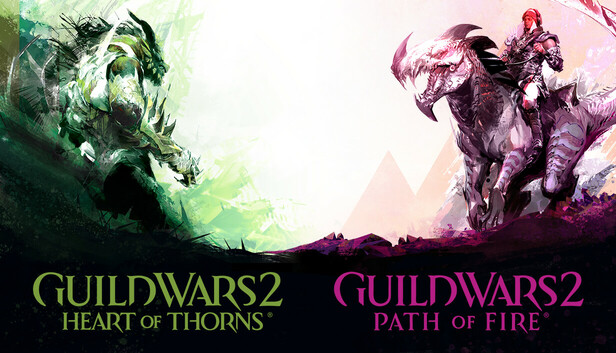
Guild Wars 2: Heart of Thorns is the first Guild Wars 2 expansion. The Elder Jungle Dragon Mordremoth is awake and spreading its toxic influence across central Tyria, corrupting minds and destroying lives. Explore the vast Heart of Maguuma across four new maps, take on the Mouth of Mordremoth in a massive open-world boss encounter, and team up with other skilled players to challenge three raids.
Guild Wars 2: Path of Fire is the second Guild Wars 2 expansion. The rogue god of war, Balthazar, is bent on destroying the Elder Dragons and restoring his divine power. If he succeeds, Tyria is doomed. Follow him to the Crystal Desert and explore five new maps, unlock nine elite specializations, and challenge your skills in three raids.
Guild Wars 2: Path of Fire introduces mounts that are far more than a speed boost—they're a whole new way to move through the world of Tyria. Unlock and train your new companions using the Mastery system, and explore freely by leaping across canyons, bounding up high cliffs, and skimming over water and quicksand.
Each expansion includes access to nine new elite specializations. With a variety of playstyles, weapon choices, and traits to choose from, there are more options than ever to help you customize your character.
©2012-2024 ArenaNet, LLC. All rights reserved. All trademarks are the property of their respective owners.
windows Minimum
OS: Windows® 7 or better (64 bit only)
Processor: Intel® i3 2.8 GHz / AMD Phenom II x4 2.8 GHz
Memory: 6 GB RAM
Graphics: NVIDIA® GeForce® GTS 250 / ATI Radeon HD 5770 / Intel Iris Plus 640 or better
Storage: 55 GB
Directx: 9
Network: Broadband Internet connection
How to Redeem A Guild Wars 2 Code
Redeeming Game Codes:
- Sign in to the Account Management page using your ArenaNet account.
- Click the REDEEM A CODE button on the 'Overview' page.
- Enter or copy and paste your code into the Enter Registration Code field.
- Hit SUBMIT to redeem the code and add it to your account.
If you have not created an ArenaNet account yet, you can use your code to create a new account here.
You’ll see your upgrade the next time you log in with that account. If you are logged in when you redeem the code, you may need to exit and re-enter the game before the new content appears.
Redeeming Gem Codes:
- Log in to Guild Wars 2 with the account where you want to unlock gems.
- Open the Black Lion Trading Company panel. The default hotkey is [O]. You can also click the lion icon in the upper left corner of the game screen.
- Click the "Redeem Code" link in the upper left corner of the Store homepage.
- Enter or copy and paste your gem code into the field that reads: "Please enter your Gem code".
- Click Redeem.
Gems are delivered automatically once the code is successfully redeemed.