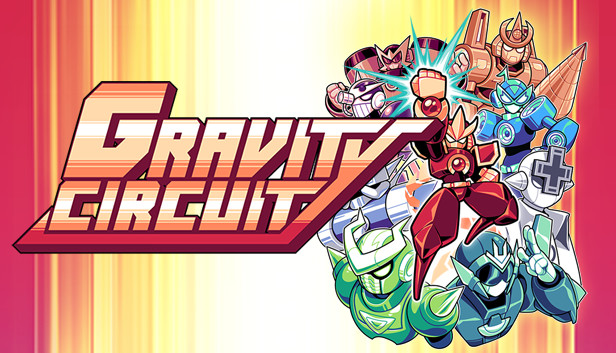
Gravity Circuit - a flashy action packed 2d platformer in the spirit of console classics.
Mission: Stop the Virus Army’s Uprising! In a futuristic world populated by sentient robots, its inhabitants are once more threatened by an old foe, the Virus Army. Defeated decades ago, it has re-emerged from the shadows with a unique goal, complete world domination. Severely weakened Guardian Corps are left with no other choice but to call upon a hero of the previous war: the lone operative, Kai, who harnesses the powers of the mysterious Gravity Circuit. As the world's last line of defense, journey through futuristic environments, and take down the evil mastermind behind this chaos.
Reminiscent of classic platformers from the 80s and 90s, with action dialed to maximum, channel your power into your fists and send foes flying, or grapple them to get up close and personal. In your quest you will acquire many new powers, which will allow you to go even further beyond!
Action packed platforming By channeling your energy into devastating punches, perform satisfying combos and send foes flying, causing destruction and mayhem in the process!
Save the innocent, and power up! Stages are packed with secrets and innocent civilians alike. Uncover and rescue them, and unlock new powers!
Single player campaign with 12 stages Each with their unique set of mechanics, your platforming and combat skills will be tested against an armada of enemies and bosses!
windows Minimum
OS: Windows Vista+
Processor: Intel Core 2 Duo 2.0 GHz or equivalent
Memory: 2 GB RAM
Graphics: OpenGL 2.1 compatible graphics card
Storage: 500 MB available space
Additional notes: No test have been performed on older hardware, or old laptops with integrated GPUs.
windows Recommended
OS: Windows Vista+
Processor: Intel Core 2 Duo 2.0 GHz or equivalent
Memory: 2 GB RAM
Graphics: OpenGL 2.1 compatible graphics card
Storage: 500 MB available space
To activate the game, you need a Steam Account
Login or register at the official Steam Website and download Steam client
Install and start application, login with your Account name and Password
Click the Games Menu.
Choose Activate a Product on Steam...
Follow the onscreen instructions to complete the process
After the successful code verification, go to the "MY GAMES" tab and start downloading.
News & Updates
2026-07-20
Our Way of Saying Thank You
Great games are nothing without loyal gamers and we're grateful to have such an amazing community that supports our store. That’s why we’re launching our special “YUPLAY Is Feeling Generous” campaign as a way of saying “Thank you”. During this campaign, with every order over €30 you will receive a free 10% discount code that can be used during your next purchase…
The FIFA World Cup 2026 is coming in hot this summer and while these coming weeks it is all going to be centered around the best game in the world of sports, we decided to bring you a dedicated YUPLAY giveaway to commemorate the occasion together! This promotional giveaway campaign invites all of our followers to try and predict the exact final scores of selected matches from the World Cup…
This game does not default to external Bluetooth/USB controllers on Deck, and may require manually switching the active controller via the Quick Access Menu
All functionality is accessible when using the default controller configuration
This game shows Steam Deck controller icons
In-game interface text is legible on Steam Deck
This game's default graphics configuration performs well on Steam Deck