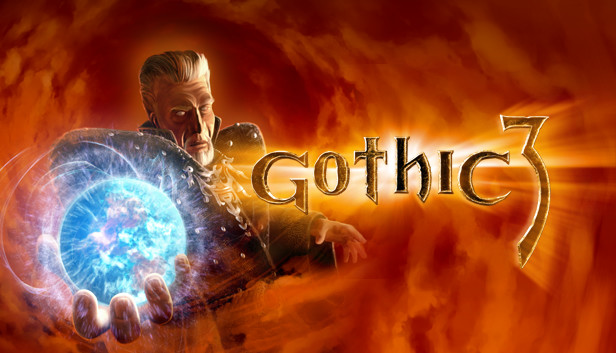
You have saved the island Khorinis form the forces of evil in Gothic I and Gothic II. Now it is time to travel the realms of the mainland. Invading Orcs have enslaved the human kingdom. There are but a few free humans in the icy North and the Southern desert and a handful of rebels hiding in the forests and mountains of Midland.
You may either join the rebellion or serve the Orcish Usurpers but you will ultimately tip the scales and decide the outcomeof the last war to save Humanity!
There is no simple linear story in Gothic III – every game will be different and unique – but all will ultimately lead to you deciding the fate of Myrtana.
Specially designed easy combat system
Clear main goals – story driven yet dictated by player’s choice
Huge free – roaming world – virtually no boundaries
Advanced human behavior AI for hundreds of individual characters with full audio dialogues
Countless side – quests for the player to choose from
Over 50 different monsters and animals and dozens of human enemies
Over 50 different powerful spells and over a hundred different weapons
Unique class – free character development
Version 1.12 (Does work with community patch 1.6)
windows Minimum
OS: Windows XP/2000/Vista/7/8/10/11
Processor: Intel Pentium 4 or AMD CPU 2 GHz or equivalent
Memory: 2 GB RAM
Graphics: 3D graphics card with 128 MB Ram and Shader 1.4
Storage: 5 GB available space
Directx: Version 9.0c
Sound card: DirectX compatible
windows Recommended
OS: Windows 7/8/10/11
Processor: Intel Pentium 3.0 GHz or AMD Athlon 64 4000+
Memory: 4 GB RAM
Graphics: 3D graphics cardwith 256 MB (NVIDIA GeForce 6800 equivalent or better
Storage: 5 GB available space
Directx: Version 9.0c
Sound card: DirectX compatible
To activate the game, you need a Steam Account
Login or register at the official Steam Website and download Steam client
Install and start application, login with your Account name and Password
Click the Games Menu.
Choose Activate a Product on Steam...
Follow the onscreen instructions to complete the process
After the successful code verification, go to the "MY GAMES" tab and start downloading.
News & Updates
2026-06-11
Celebrate FIFA World Cup 2026 with YUPLAY
The FIFA World Cup 2026 is coming in hot this summer and while these coming weeks it is all going to be centered around the best game in the world of sports, we decided to bring you a dedicated YUPLAY giveaway to commemorate the occasion together! This promotional giveaway campaign invites all of our followers to try and predict the exact final scores of selected matches from the World Cup…
First V-Bucks, Now Steam Decks: Why Gaming is Getting More Expensive
Has gaming been steadily becoming more and more expensive lately? In the past months and quarters there has definitely been an increase in pricing in both the software and hardware departments of gaming and this trend has definitely stricken the market in more than a couple of ways. The industry has experienced a trend of gaming price increases as well as more expensive subscriptions…
Some functionality is not accessible when using the default controller configuration, requiring use of the touchscreen or virtual keyboard, or a community configuration
This game sometimes shows mouse, keyboard, or non-Steam-Deck controller icons
In-game interface text is legible on Steam Deck
This game's default graphics configuration performs well on Steam Deck