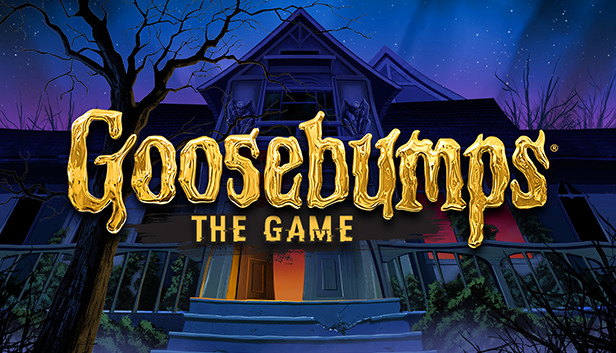
The walk home from school today is going to be a lot spookier than usual… Your sleepy neighborhood's been overrun by monsters! Werewolves prowl the woods, Gnomes roam underfoot, and scarecrows walk at midnight. But these aren't ordinary monsters—they're R.L. Stine's famous Goosebumps monsters, released from their books and looking to wreak havoc!
You'll need to use your wits to investigate the surroundings, puzzle out clues, and outsmart the monsters before it's too late! Survive a trek through your neighborhood, unravel the mysteries of the Dead House, and sneak through the mall after hours; only then can you confront Slappy and stop his plans for revenge! Players beware… you're in for a scare in the exciting Goosebumps video game, a prequel to the major motion picture in theaters October 16th!
windows Minimum
OS: Windows Vista or Windows 7
Processor: Intel Pentium 4 2.4 ghz with Hyper Threading
Memory: 1 GB RAM
Graphics: Intel HD Graphics
Storage: 600 MB available space
Directx: Version 9.0
windows Recommended
OS: Windows 7 or Windows 8
Processor: Indel Core 2 Duo / AMD Athlon 64 x2 or higher
Memory: 1 GB RAM
Graphics: VIDIA® GeForce™ 200 series or higher, AMD® Radeon™ HD5000 series or higher
Storage: 600 MB available space
Directx: Version 11
To activate the game, you need a Steam Account
Login or register at the official Steam Website and download Steam client
Install and start application, login with your Account name and Password
Click the Games Menu.
Choose Activate a Product on Steam...
Follow the onscreen instructions to complete the process
After the successful code verification, go to the "MY GAMES" tab and start downloading.
News & Updates
2026-10-23
BOO! Giveaway - Win a Game of Your Choice
Make a purchase of any amount between 23.10.2026 15:00 CET and 28.10.2026 15:00 CET, submit your Order ID in our Gleam and get a chance to win a FREE GAME (up to 50€).…
Some functionality is not accessible when using the default controller configuration, requiring use of the touchscreen or virtual keyboard, or a community configuration
Entering some text requires manually invoking the on-screen keyboard
This game does not default to external Bluetooth/USB controllers on Deck, and may require manually switching the active controller via the Quick Access Menu
This game shows Steam Deck controller icons
In-game interface text is legible on Steam Deck
This game's default graphics configuration performs well on Steam Deck