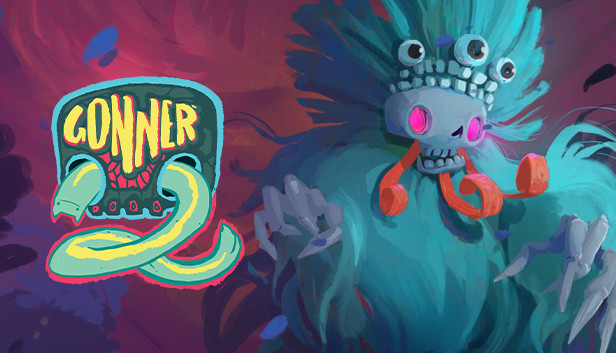
In GONNER2, our altruistic and unexpected hero Ikk is back! And this time Death needs his help. Her lair has been taken over by a mysterious presence and she needs Ikk to take it down. Journey your way through deep dark chaotic places with sparks of unimaginable colour and crazy bosses, all while trying to literally keep your head!! GONNER2 is a procedurally generated platformer with roguelike elements that will keep you on your toes - now with more added, colour and chaos!
GONNER2 is a sequel to the IGF winning game GoNNER.
Intense platformer shooter action
Procedurally generated levels in a strange and surreal world
Nonlinear level structure
A bunch of heads, guns and upgrades that you can combine
Secrets & mysteries!
P.S. Along with the single player journey to help Death, there is a party co-op mode so you and your friends can lose your heads together!
Processor: Intel Pentium CPU G4560 @ 3.50GHz or equivalent
Memory: 2 GB RAM
Graphics: Intel HD Graphics Family / AMD Radeon RX Vega 7
Storage: 2 GB available space
Directx: Version 10
windows Recommended
OS: Windows 10
Processor: Intel Core i5-6500 CPU @ 3.20GHz or equivalent
Memory: 4 GB RAM
Graphics: NVIDIA GeForce GTX 1060 or equivalent
Storage: 2 GB available space
Directx: Version 12
macosx Minimum
OS: macOS Mojave
Processor: Intel Core i3
Memory: 4 GB RAM
Graphics: Intel Iris Plus Graphics
Storage: 2 GB available space
Additional notes: Apple M1 chipsets are not supported
macosx Recommended
OS: macOS Mojave
Processor: Intel Core i5
Memory: 8 GB RAM
Graphics: Intel Iris Plus Graphics
Storage: 2 GB available space
Additional notes: Apple M1 chipsets are not supported
linux Minimum
OS: Ubuntu or similar (tested on ubuntu based system)
Processor: Intel Pentium CPU G4560 @ 3.50GHz or equivalent
Memory: 4 GB RAM
Graphics: Intel HD Graphics Family / AMD Radeon RX Vega 7
Storage: 2 GB available space
linux Recommended
OS: Ubuntu or similar (tested on ubuntu based system)
Processor: Intel Core i5-6500 CPU @ 3.20GHz or equivalent
Memory: 4 GB RAM
Graphics: NVIDIA GeForce GTX 1060 or equivalent
Storage: 2 GB available space
To activate the game, you need a Steam Account
Login or register at the official Steam Website and download Steam client
Install and start application, login with your Account name and Password
Click the Games Menu.
Choose Activate a Product on Steam...
Follow the onscreen instructions to complete the process
After the successful code verification, go to the "MY GAMES" tab and start downloading.
News & Updates
2026-10-23
BOO! Giveaway - Win a Game of Your Choice
Make a purchase of any amount between 23.10.2026 15:00 CET and 28.10.2026 15:00 CET, submit your Order ID in our Gleam and get a chance to win a FREE GAME (up to 50€).…
This game does not default to external Bluetooth/USB controllers on Deck, and may require manually switching the active controller via the Quick Access Menu
All functionality is accessible when using the default controller configuration
This game shows Steam Deck controller icons
In-game interface text is legible on Steam Deck
This game's default graphics configuration performs well on Steam Deck