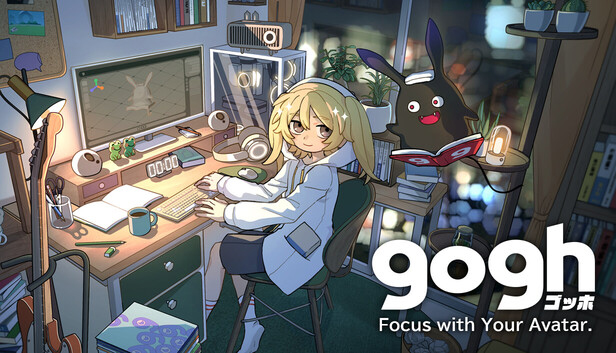
gogh: Focus with Your Avatar is more than a focus tool – it’s a cozy blend of avatar creation, room design, and virtual pet game. Build your perfect space, vibe with Lofi beats, and let your cute avatar and quirky companion turn work into pure fun!
YOUR OWN ROOM TO PERSONALIZE
Create a space that’s uniquely yours, arranging furniture, decor, and colors however you like. Add your favorite images or GIFs to monitors, posters, and other room items, so every corner feels just right. Save different setups and switch things up anytime to match your vibe!
ADORABLE ANIME-STYLE AVATARS
Customize your avatar with a variety of face parts, hairstyles, and outfits to make them the perfect little sidekick for your work sessions. Move them around, pick animations, and sync with the Pomodoro timer as they shift between focus and relaxation along with you!
A QUIRKY COMPANION TO CHEER YOU ON
Stay on track with the simple To-Do list and Pomodoro timer, while uncovering new forms of your quirky companion as you make progress, keeping you curious and motivated! Who knew productivity could feel so rewarding?
CHILL LOFI BEATS AND AMBIENT SOUNDS
Relax with playlists featuring chill Lofi beats from “Japanolofi Records” and ambient sounds you can mix to suit your mood. With ASMR-like sounds synced to your avatar’s actions—typing, writing, or page-turning—you’ll be surrounded by the perfect atmosphere to stay focused and unwind.
Mac SUPPORT
Compatible with Apple Silicon Macs. The perfect companion for your Mac work sessions!
KEY FEATURES
Pomodoro timer
Count-up timer
To-Do list
Weather change
Time of day change (day, evening, night, Auto)
Indoor lighting control (on/off)
Auto camera mode
Save multiple camera angles, avatar positions, and animations
Room customization
Attach images, GIFs, and OBS streams to room items
Multiple room styles to choose from
Start with pre-decorated rooms (Quick Start Mode) or create from scratch (Creative Mode)
Save multiple room setups
Avatar customization with a variety of face parts and fashion items
Photo Mode
Depth of Field control (on/off)
Real-time synced growth of a virtual pet based on collected work data
Login or register at the official Steam Website and download Steam client
Install and start application, login with your Account name and Password
Click the Games Menu.
Choose Activate a Product on Steam...
Follow the onscreen instructions to complete the process
After the successful code verification, go to the "MY GAMES" tab and start downloading.
News & Updates
2026-01-16
Winter is the Perfect Time to Get Some Extra YXP
Winter season is much better with more games to play, so let’s kick-off 2026 with a storewide promotion bang and YXP level-ups then, shall we? For the first promo campaign this year we have prepared some incredible price drops and offers that you simply can’t miss out on! For the very short duration of only 3 days, you will have the opportunity to earn 50 extra YXP points in your account by making an order over 10€ …
Dive into Adrenaline-Fueled Battles in Code Vein II
We are starting the year with a review for a title that is ready to hit the market hard, because Code Vein II is the upcoming sequel to the 2019 soulslike Action RPG developed by Bandai Namco Studios. The game’s Steam page is already getting a lot of attention and for those of you looking to find out what is new in the gameplay and storyline compared to the original title, well… you are at the right place!