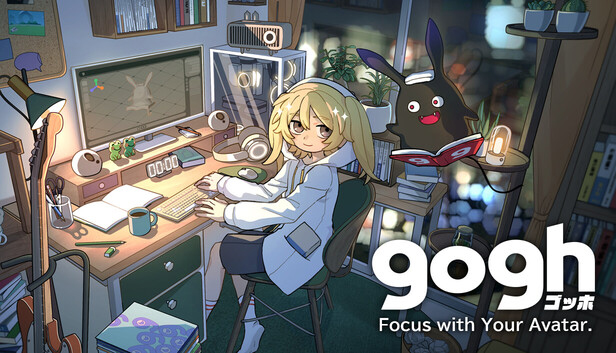
gogh: Focus with Your Avatar is more than a focus tool – it’s a cozy blend of avatar creation, room design, and virtual pet game. Build your perfect space, vibe with Lofi beats, and let your cute avatar and quirky companion turn work into pure fun!
YOUR OWN ROOM TO PERSONALIZE
Create a space that’s uniquely yours, arranging furniture, decor, and colors however you like. Add your favorite images or GIFs to monitors, posters, and other room items, so every corner feels just right. Save different setups and switch things up anytime to match your vibe!
ADORABLE ANIME-STYLE AVATARS
Customize your avatar with a variety of face parts, hairstyles, and outfits to make them the perfect little sidekick for your work sessions. Move them around, pick animations, and sync with the Pomodoro timer as they shift between focus and relaxation along with you!
A QUIRKY COMPANION TO CHEER YOU ON
Stay on track with the simple To-Do list and Pomodoro timer, while uncovering new forms of your quirky companion as you make progress, keeping you curious and motivated! Who knew productivity could feel so rewarding?
CHILL LOFI BEATS AND AMBIENT SOUNDS
Relax with playlists featuring chill Lofi beats from “Japanolofi Records” and ambient sounds you can mix to suit your mood. With ASMR-like sounds synced to your avatar’s actions—typing, writing, or page-turning—you’ll be surrounded by the perfect atmosphere to stay focused and unwind.
Mac SUPPORT
Compatible with Apple Silicon Macs. The perfect companion for your Mac work sessions!
KEY FEATURES
Pomodoro timer
Count-up timer
To-Do list
Weather change
Time of day change (day, evening, night, Auto)
Indoor lighting control (on/off)
Auto camera mode
Save multiple camera angles, avatar positions, and animations
Room customization
Attach images, GIFs, and OBS streams to room items
Multiple room styles to choose from
Start with pre-decorated rooms (Quick Start Mode) or create from scratch (Creative Mode)
Save multiple room setups
Avatar customization with a variety of face parts and fashion items
Photo Mode
Depth of Field control (on/off)
Real-time synced growth of a virtual pet based on collected work data
Login or register at the official Steam Website and download Steam client
Install and start application, login with your Account name and Password
Click the Games Menu.
Choose Activate a Product on Steam...
Follow the onscreen instructions to complete the process
After the successful code verification, go to the "MY GAMES" tab and start downloading.
News & Updates
2026-05-29
Beyond the Main Story: The Best Things to Do in GTA 6
Welcome back to Vice City! Ready to ride through the streets with us and go sightseeing in the most anticipated GTA game to date? Finally, after a more than a couple of delays, there has even been a confirmed GTA 6 release date that should absolutely be included in the article, and that would be 19.11.26. Put on your best drip and hop in the YUPLAY review wagon with us and let’s begin the tour immediately…
Looking for a quick way to boost your Loyalty status? On top of the regular YXP you receive from your purchase, you will also earn an additional 50 bonus YXP as part of this special promotion. All you need to do is make a purchase of at least €10 between 27.05.2026 11:00 CET and 01.06.2026 15:00 CET and receive an extra 50 YXP for our Loyalty Program…
Some functionality is not accessible when using the default controller configuration, requiring use of the touchscreen or virtual keyboard, or a community configuration
This game sometimes shows mouse, keyboard, or non-Steam-Deck controller icons
Entering some text requires manually invoking the on-screen keyboard
Some in-game text is small and may be difficult to read
This game's default graphics configuration performs well on Steam Deck