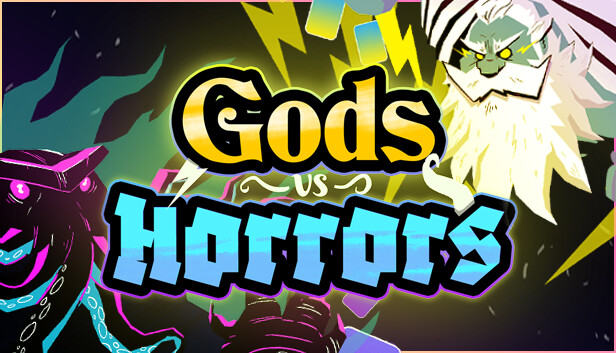
Gods vs Horrors is a drafting roguelike focusing on synergies, scaling, and positioning. You'll need to adapt to the choices offered and enemy compositions. Recruit and dismiss Gods, reroll your options, increase your devotion level to get access to more powerful Gods, and fight Cosmic Horrors in automated battles.
All Decisions Matter
Take synergies and scaling to another level. Each roll could deliver the final piece for your build or enable a crazy change in your composition.
Spend your divine essence to strengthen your army now or use it to increase your devotion level and gain access to more powerful Gods later. Balancing short-term survival with late-game power is key to creating an unstoppable build.
Position your Gods to counter the enemy's formation and composition. Combat is automatic, easy to follow, and deterministic (no RNG). It can be sped up or slowed down as desired.
Endless Variety
Create unique builds with 170 gods from 10 mythologies, 90 blessings (in-run buffs), and 30 relics to customize your runs. Unlock options through play, increasing the variety of available choices without power creep (horizontal meta-progression).
Fight against 6 different bosses, each with their cast of allies and environmental effects, requiring you to devise specific strategies to beat them. Once you've mastered them you can play the Unknown Calamity mode to face against a mix of horrors from all campaigns.
Apply difficulty modifiers to challenge your decision-making.
Game inspirations: Hearthstone's Battlegrounds mode, Slay the Spire, Super Auto Pets, Teamfight Tactics, Balatro, Magic the Gathering drafting.
windows Minimum
OS: indows 7 SP1+
Processor: SSE2 support
Memory: 1 GB RAM
Storage: 1 GB available space
windows Recommended
Memory: 1 GB RAM
Storage: 1 GB available space
To activate the game, you need a Steam Account
Login or register at the official Steam Website and download Steam client
Install and start application, login with your Account name and Password
Click the Games Menu.
Choose Activate a Product on Steam...
Follow the onscreen instructions to complete the process
After the successful code verification, go to the "MY GAMES" tab and start downloading.
News & Updates
2026-09-28
Are We Entering the Age of Gaming Leak Culture?
Once upon a time, a video game leak seemed nearly as an almost innocent accident, a gaming magazine published a screenshot too early or a store put a copy on a shelf before the scheduled release date…
As you probably already know, at YUPLAY we constantly strive to discover new and exciting ways to regularly promote the best video game titles directly to you. We do that quite often with our storewide discount campaigns, but we were looking for another way to do it without the need for a whole promotional event…