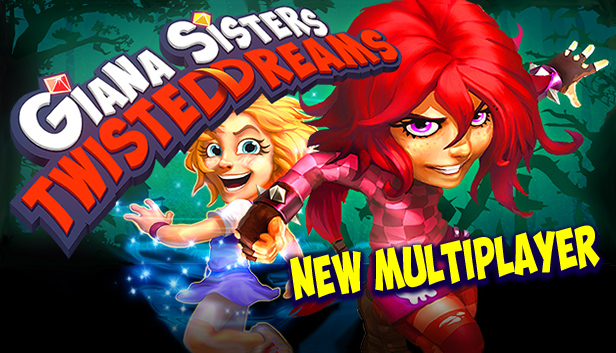
Giana Sisters: Twisted Dreams is a challenging fast-paced platformer with a twist. You can warp Giana’s dream world to transform your abilities and surroundings. Use your skill, speed, brains, and powers to defeat the dangers that populate these twisted dreams!
Cute Giana moves with speed and grace, twirling past hazards and adversaries with a light touch and gentle heart. But, Giana isn’t limited to soft solutions. With a quick morph her punk side comes out to play, full of raw attitude and a powerful dash to crush obstacles that block her way!
Powerful Abilities: Giana moves through the dream according to her desires and mood. When confronted, she can hammer past or drift on by. You make the call.
Intuitive Controls and Smooth Gameplay: Controlling Giana is a breeze, but you’ll eventually need every trick in her arsenal to defeat the cunning trials ahead.
Amazing Worlds: Giana’s dreamworlds leap off the screen with gorgeous 3D graphics and the fantastic alterations of the morph!
Tons of Cool Interactions: As Giana changes, so does the world around her. Fly with bubblegum, ride conveyer belts, power along with repeaters, hop on springs, and even ride on turtles.
Legendary Soundtrack with Chris Hülsbeck and Machinae Supremacy!
Explore and Discover: There are 16 rich levels across 3 distinct worlds, each transforming into the two dreamworlds. Giana’s dreams abound with secret locations.
Epic Boss Battles: Gigantic creatures from the depths of Giana’s most terrifying nightmares are here to play too. Seriously, these guys are just plain brutal!
Processor: Intel Core 2 Duo @ 2.8 GHz / AMD Athlon II X2 @ 2.8 GHz
Memory: 2 GB RAM
Graphics: SM3.0 DX9.0c level hardware (Nvidia GeForce 6800, ATI X1800 XT or higher)
Storage: 3.3 GB
Directx: 9
Additional notes: Keyboard
windows Recommended
OS: Windows Vista / Windows 7
Processor: Intel Core i5 @ 2.66 GHz / AMD Phenom II X4 @ 3.0 GHz (or any Dual Core CPU)
Memory: 3 GB RAM
To activate the game, you need a Steam Account
Login or register at the official Steam Website and download Steam client
Install and start application, login with your Account name and Password
Click the Games Menu.
Choose Activate a Product on Steam...
Follow the onscreen instructions to complete the process
After the successful code verification, go to the "MY GAMES" tab and start downloading.
News & Updates
2026-06-11
Celebrate FIFA World Cup 2026 with YUPLAY
The FIFA World Cup 2026 is coming in hot this summer and while these coming weeks it is all going to be centered around the best game in the world of sports, we decided to bring you a dedicated YUPLAY giveaway to commemorate the occasion together! This promotional giveaway campaign invites all of our followers to try and predict the exact final scores of selected matches from the World Cup…
First V-Bucks, Now Steam Decks: Why Gaming is Getting More Expensive
Has gaming been steadily becoming more and more expensive lately? In the past months and quarters there has definitely been an increase in pricing in both the software and hardware departments of gaming and this trend has definitely stricken the market in more than a couple of ways. The industry has experienced a trend of gaming price increases as well as more expensive subscriptions…
This game does not default to external Bluetooth/USB controllers on Deck, and may require manually switching the active controller via the Quick Access Menu
All functionality is accessible when using the default controller configuration
This game shows Steam Deck controller icons
In-game interface text is legible on Steam Deck
This game's default graphics configuration performs well on Steam Deck