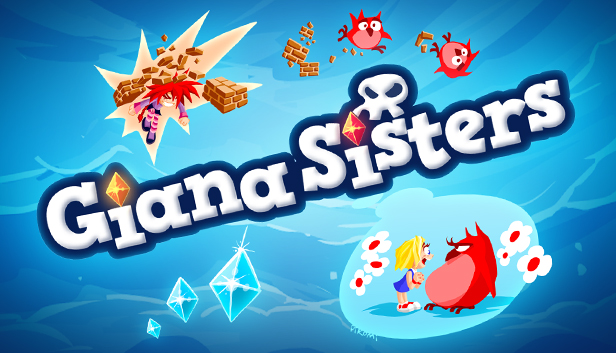
"The Great Giana Sisters" was one of the first platformers to be released on the Commodore 64. Although sales were stopped soon after the game’s release, The Great Giana Sisters became a cult classic, and Giana an iconic part of video game history.
In 2009, we started a reboot of Giana Sisters and released it on Nintendo DS. Giana Sisters DS marked the beginning of a new series of Giana Sisters games, with Giana Sisters: Twisted Dreams and Giana Sisters: Dream Runners being the latest releases.
Now we’re happy to give you a HD remake of the 2009 Nintendo DS version on Steam. It features beautiful HD graphics and full controller support. And of course the precise controls, intuitive handling and a smooth learning curve that platform fans expect. All balanced for hours of fun and challenges. It also contains the 32 levels of the original game – restored with love and care to resemble our take on the retro aesthetic.
Freed from the dust of decades, Giana Sisters 2D retains its cherished style, familiar features and the legendary original soundtrack in a fresh revision.
Key Features:
Beautifully restored HD Remake of the Nintendo DS classic.
Sharp, intuitive controls and an easy learning curve.
Lovingly crafted modern take on retro graphics in HD.
80 completely new adventures.
32 fully restored classic levels will put a tear in the eye of many fans of the original version!
Legendary soundtrack, inspired by Chris Huelsbeck.
Customizable controls and full controller support.
Steam integration: leaderboards, achievements, and trading cards.
Processor: Intel Core 2 Duo @ 2.8 GHz / AMD Athlon II X2 @ 2.8 GHz
Memory: 2 MB RAM
Graphics: SM3.0 DX9.0c level hardware (Nvidia GeForce 6800, ATI X1800 XT or higher)
Storage: 2 GB available space
Additional notes: Windows-compatible keyboard, mouse, optional controller (Steam Controller or Xbox 360® Controller for Windows recommended)
windows Recommended
OS: Windows 7 / Windows 8
Processor: Intel Core i5 @ 2.66 GHz / AMD Phenom II X4 @ 3.0 GHz (or any Dual Core CPU)
Graphics: Nvidia GeForce GTX 280, ATI HD 4800 or higher
Storage: 2 GB available space
Additional notes: Windows-compatible keyboard, mouse, optional controller (Steam Controller or Xbox 360® Controller for Windows recommended)
To activate the game, you need a Steam Account
Login or register at the official Steam Website and download Steam client
Install and start application, login with your Account name and Password
Click the Games Menu.
Choose Activate a Product on Steam...
Follow the onscreen instructions to complete the process
After the successful code verification, go to the "MY GAMES" tab and start downloading.
News & Updates
2026-06-11
Celebrate FIFA World Cup 2026 with YUPLAY
The FIFA World Cup 2026 is coming in hot this summer and while these coming weeks it is all going to be centered around the best game in the world of sports, we decided to bring you a dedicated YUPLAY giveaway to commemorate the occasion together! This promotional giveaway campaign invites all of our followers to try and predict the exact final scores of selected matches from the World Cup…
First V-Bucks, Now Steam Decks: Why Gaming is Getting More Expensive
Has gaming been steadily becoming more and more expensive lately? In the past months and quarters there has definitely been an increase in pricing in both the software and hardware departments of gaming and this trend has definitely stricken the market in more than a couple of ways. The industry has experienced a trend of gaming price increases as well as more expensive subscriptions…
Some functionality is not accessible when using the default controller configuration, requiring use of the touchscreen or virtual keyboard, or a community configuration
This game sometimes shows mouse, keyboard, or non-Steam-Deck controller icons
In-game interface text is legible on Steam Deck
This game's default graphics configuration performs well on Steam Deck