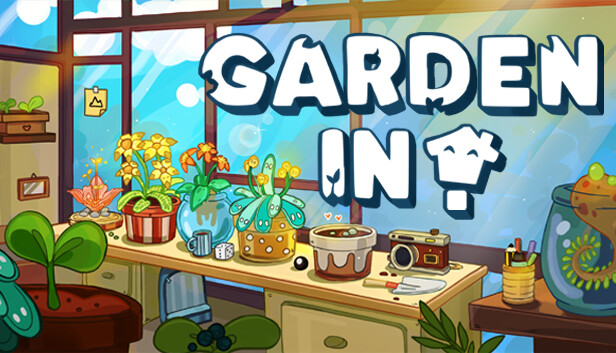
It’s Easy to Grow a Plant in Garden In! Choose a pot, put some soil in it, and finally plant a seed. The journey can start!Each plant is unique and has different needs. All they need is time, love, and caring — they’ll grow strong and beautiful.
Combine the seeds to get New Ones! Bring two seeds together inside a hybridization pot and watch how the power of love creates a new bud! Try and discover all the different combinations to complete your herbarium.
Decorate Your House! Use the many seedlings at your disposal, arrange the environment as you like and make yourself at home.Besides gardening, customize rooms by changing their colors and background; put yourself in the mood.
windows Minimum
OS: Windows 10
Processor: Intel Core i3 / AMD Ryzen 3
Memory: 2 GB RAM
Graphics: NVIDIA GT 1030
Storage: 2 GB available space
Directx: Version 11
Sound card: DirectX compatible
Additional notes: Require a 64-bit OS and CPU
windows Recommended
OS: Windows 10
Processor: Intel Core i5 / AMD Ryzen 5
Memory: 8 GB RAM
Graphics: NVIDIA GTX 1050
Storage: 2 GB available space
Directx: Version 11
Sound card: DirectX compatible
Additional notes: Require a 64-bit OS and CPU
To activate the game, you need a Steam Account
Login or register at the official Steam Website and download Steam client
Install and start application, login with your Account name and Password
Click the Games Menu.
Choose Activate a Product on Steam...
Follow the onscreen instructions to complete the process
After the successful code verification, go to the "MY GAMES" tab and start downloading.
News & Updates
2026-10-23
BOO! Giveaway - Win a Game of Your Choice
Make a purchase of any amount between 23.10.2026 15:00 CET and 28.10.2026 15:00 CET, submit your Order ID in our Gleam and get a chance to win a FREE GAME (up to 50€).…
Some functionality is not accessible when using the default controller configuration, requiring use of the touchscreen or virtual keyboard, or a community configuration
This game sometimes shows mouse, keyboard, or non-Steam-Deck controller icons
Some in-game text is small and may be difficult to read
This game does not support cross-platform saved games
This game's default graphics configuration performs well on Steam Deck