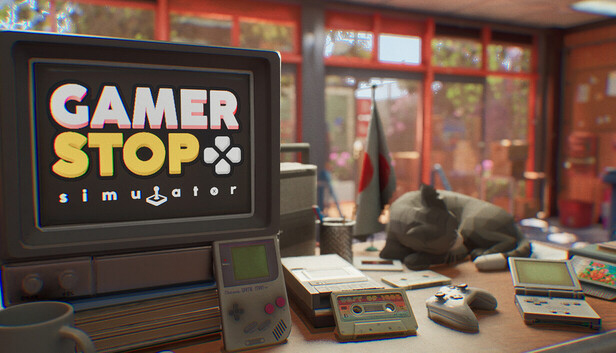
Following a letter from your grandfather, you travel back to your birth country, Japan. He has passed away and left behind an old video game store as your inheritance. To honor his memory, you set out to restore the store to its former glory. That’s the heart of Gamer Stop: build the video game store you’ve always dreamed of.
MANAGE YOUR STORE
Gamer Stop isn’t just a simulation game. It’s also an adventure with an explorable map. Need a break from work? Step outside and immerse yourself in the breathtaking world of Japan. A variety of activities and mysteries await:
Go fishing
Complete obstacle courses and collect unique pieces for the Shamisen instrument
Capture stunning shots of Japan’s scenic beauty
Discover treasure chests hidden throughout the open-world map
And so much more is waiting for you!
Unique Moments – SEASONS
Every day in Gamer Stop feels different. As your journey continues, your store grows and your legacy expands. Japan transforms with the calendar, showcasing its charm across four seasons with special events. “The more you play, the more you’ll discover.”
EXPLORE OPEN WORLD
Your progress in Gamer Stop is entirely up to you. Greet your customers yourself or hire employees to help you out. “All that’s left for you is to enjoy your own flow.” Your store will never stay the same. Customize both the interior and exterior with plenty of options.
windows Minimum
OS: Windows 10 64-bit
Processor: AMD Ryzen 5 2600
Memory: 6 GB RAM
Graphics: NVIDIA GeForce RTX 2050
Storage: 5 GB available space
Directx: Version 11
windows Recommended
OS: Windows 10 64-bit
Processor: Intel Core i5-10400F @ 2.90GHz
Memory: 16 GB RAM
Graphics: NVIDIA GeForce RTX 4060
Storage: 5 GB available space
Directx: Version 11
To activate the game, you need a Steam Account
Login or register at the official Steam Website and download Steam client
Install and start application, login with your Account name and Password
Click the Games Menu.
Choose Activate a Product on Steam...
Follow the onscreen instructions to complete the process
After the successful code verification, go to the "MY GAMES" tab and start downloading.
News & Updates
2026-06-11
Celebrate FIFA World Cup 2026 with YUPLAY
The FIFA World Cup 2026 is coming in hot this summer and while these coming weeks it is all going to be centered around the best game in the world of sports, we decided to bring you a dedicated YUPLAY giveaway to commemorate the occasion together! This promotional giveaway campaign invites all of our followers to try and predict the exact final scores of selected matches from the World Cup…
First V-Bucks, Now Steam Decks: Why Gaming is Getting More Expensive
Has gaming been steadily becoming more and more expensive lately? In the past months and quarters there has definitely been an increase in pricing in both the software and hardware departments of gaming and this trend has definitely stricken the market in more than a couple of ways. The industry has experienced a trend of gaming price increases as well as more expensive subscriptions…