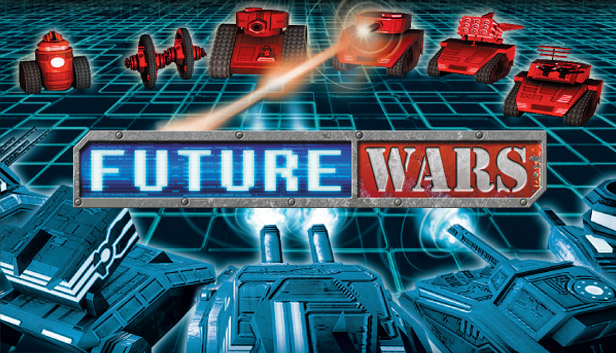
Once upon a time strategy games actually were easy to get into and fun to play for everyone. An intuitive and clear set of rules and an appealing story line helped titles such as “Advance Wars”, “Battle Isle” or “Military Madness” to acquire a legendary reputation amongst all gamers. Over the course of the last decade turn based strategy games on PC have turned into complex monsters through the bigger-better-more philosophy, causing strategy titles to become more and more a niche phenomenon for a very hardcore audience. Future Wars – developed by one of the leading German studios and the creators of Drakensang – takes turn based strategy gaming away from the micromanagement overkill, reopening it for a wider audience.
A modern 3D engine, the proven rock-paper-scissors principle surrounded by an enthralling plot and challenging gameplay create an easy to grasp but hard to master strategy game experience on PC which was until know only known to the console gamers, opening the game for newcomers while appealing to the hardcore gamer just the same.
Modern 3D graphics & proven gameplay embedded in an enthralling plot
Infinite modding possibilities through open data structure, open scripts and editor
Novel and unique game modes such as AI vs. AI or play-by-mail
Rock-paper-scissors principle makes Future Wars easy to learn but hard to master
windows Minimum
OS: Windows® XP / Vista™ / Windows® 7
Processor: Pentium D 3.0 GHZ or capable processors
Memory: 1GB (2GB for multiplayer)
Graphics: ATI Radeon X1600XT or capable graphics adapter supporting PixelShader 2.0 or nVidia Geforce 8800GTS or better
Storage: 500MB space free
Directx: DirectX 9.0c
Sound card: DirectSound® compatible
windows Recommended
OS: Windows® XP / Vista™ / Windows® 7
Processor: Intel Core2Duo 2.13GHZ or better
Memory: 1GB (2GB for multiplayer)
Graphics: ATI Radeon X1600XT or capable graphics adapter supporting PixelShader 2.0 or nVidia Geforce 8800GTS or better
Storage: 500MB space free
Directx: DirectX 9.0c
Sound card: DirectSound® compatible
To activate the game, you need a Steam Account
Login or register at the official Steam Website and download Steam client
Install and start application, login with your Account name and Password
Click the Games Menu.
Choose Activate a Product on Steam...
Follow the onscreen instructions to complete the process
After the successful code verification, go to the "MY GAMES" tab and start downloading.
News & Updates
2026-08-21
The Biggest Games to Steal the Show at Gamescom 2026
Gamescom 2026 is coming at the end of this month with more than 900 exhibitors and we just wanted to showcase some of the upcoming games in the AAA titles category that you should definitely check out! So, be sure to go through our shortlisted future release hits in most gaming genre types, as we get ready to once again explore the world of Gamescom…
ACE COMBAT 8 Could Be the Series’ Most Ambitious Entry
The upcoming Ace Combat 8: Wings of Theve marks a completely new chapter in the popular flight shooting series, by effectively blending cinematic storytelling with the thrills of aerial combat like never before. Developed by Bandai Namco Aces Inc., the game will build upon the decades of established expertise in order to further boost the series’ strong sides…