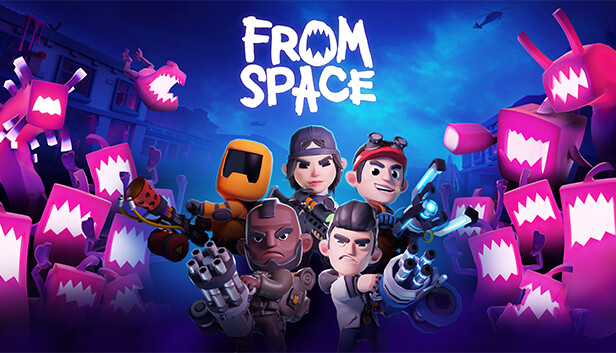
That's no bubblegum army, that's an endless horde of menacingly pink aliens taking over our planet! Enough sweet talk, grab your gear, we need you and your squad to defeat the pink pests!
YOUR MISSION: Liberate Earth from the Alien horde!
MISSION TIP #1: SQUAD UP!
While you can play From Space solo (if you're brave enough) you'd be wise to invite some friends to help you out. With online play you can create a four-person squad. Look, there's a lot of those pink pests out there so the more people, the better. Oh, and with a squad, you'll have some witnesses to tell everyone how awesome you are. It's basically a win-win scenario.
MISSION TIP #2: SHOOT, EXPLODE, STAB!
With a variety of weapons (Rocket Launchers, Miniguns, Flamethrowers and more!) there’s no excuse not to annihilate those aliens! Build your ideal spec and use tactical items such as grenades and mines, or slow down the hordes with barbed wire and machinegun turrets. Remember to scavenge the world for loot, you'll need it!
MISSION TIP #3: YOU'RE SPECIAL, SO PICK YOUR SPECIALIST SKILL!
No matter what type of player you are, there’s a wide range of characters in From Space's roster, each with their own unique ability and weapons. Find the perfect balance with your friends as you build the ultimate super squad.
MISSION TIP #4: DON'T JUST STAND THERE, LEVEL UP!
As you level-up, you’ll be able to attach special perks to your character, helping you to master the art of destroying aliens. You'll need to find ways to combat increasingly more powerful aliens, and perks will help you accomplish all of your pink alien squashing dreams. Need to rethink your strategy? No problem! We like innovators! Perks can be swapped around, even between your squad!
MISSION TIP #5: THE APOCALYPSE HAS NEVER BEEN SO MUCH FUN... SO HAVE FUN!
We’re going to level with you... an alien threat is terrifying, terrifyingly fun! Look, the world is already pretty beat up as it is. Who's going to notice if you cause a little bit more destruction while saving the day? People have insurance it's fine...
Graphics: NVIDIA® GeForce® GTX 20-series or faster
Storage: 10 GB
Network: Broadband Internet connection
Sound card: DirectX® Compatible Sound Card or stronger
Additional notes: Controller highly recommended
To activate the game, you need a Steam Account
Login or register at the official Steam Website and download Steam client
Install and start application, login with your Account name and Password
Click the Games Menu.
Choose Activate a Product on Steam...
Follow the onscreen instructions to complete the process
After the successful code verification, go to the "MY GAMES" tab and start downloading.
News & Updates
2026-07-20
Our Way of Saying Thank You
Great games are nothing without loyal gamers and we're grateful to have such an amazing community that supports our store. That’s why we’re launching our special “YUPLAY Is Feeling Generous” campaign as a way of saying “Thank you”. During this campaign, with every order over €30 you will receive a free 10% discount code that can be used during your next purchase…
The FIFA World Cup 2026 is coming in hot this summer and while these coming weeks it is all going to be centered around the best game in the world of sports, we decided to bring you a dedicated YUPLAY giveaway to commemorate the occasion together! This promotional giveaway campaign invites all of our followers to try and predict the exact final scores of selected matches from the World Cup…
This game does not default to external Bluetooth/USB controllers on Deck, and may require manually switching the active controller via the Quick Access Menu
All functionality is accessible when using the default controller configuration
This game shows Steam Deck controller icons
In-game interface text is legible on Steam Deck
This game's default graphics configuration performs well on Steam Deck