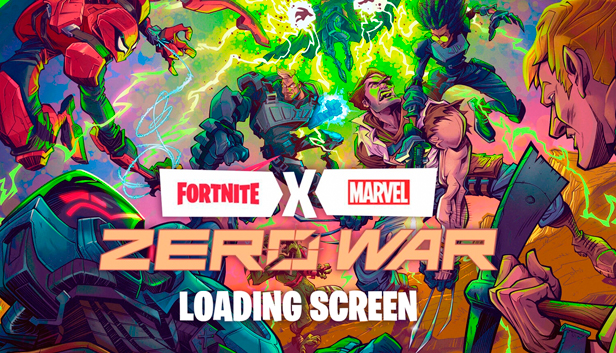
The Fortnite Marvel Zero War Loading Screen includes a beautiful Marvel and Fortnite crossover comic book artwork that would bring your waiting time to join matches into a much more pleasant state.
Even more content to enjoy
If you are feeling tired of the usual Fortnite style of gameplay and want to innovate it a bit, there are plenty of Fortnite DLCs and skins at our marketplace to take advantage of. The more skins, gliders, and pickaxes you have, the more combinations and matching excitement you can do!
Carefully craft your own unique visual style and appearance. Absolutely anything is possible to achieve with just a few Fortnite gift cards, V-bucks, and unique cosmetic items! Want to have more? We got you covered!
What about Fortnite?
Get this key and immerse yourself in the emblematic free-to-play battle royale game by Epic Games which comes with modes such as the Creative and Save the World. Since its launch all the way back in 2017, Fortnite has climbed to the heights of popularity, turning itself into a widely recognized cultural phenomenon!
The title features multiple gripping gameplay features, a rewarding system for progression, an engaging learning curve, and an enormous variety of interesting content.
What sets Fortnite apart from other battle royale games like PUBG or Apex Legends?
The material-gathering system together paired with its unique building mechanics that are reminiscent of those typical in Minecraft! The exclusive skin packs and exclusives are also worthy of a mention.
Join the fun right away and slash your way to victory!
How to redeem Zero War Loading Screen on PC?
If you are looking to redeem a Fortnite skin, just follow these simple instructions provided below:
Click on the Sign In button on the top right corner of the Fortnite home page;
Log in with your Epic Games account;
Take your mouse cursor over your account name on the top right corner;
Select the Redeem Code option;
Carefully enter the key code and click Redeem.
Interested in other similar offers like this one?
Browse the Fortnite skins collection that we offer on our website! There are also ways to purchase additional funds with some great deals from our Fortnite V-Bucks collection as well.
windows Minimum
OS: Windows 10 64-bit version 1703
Processor: Core i3-3225 3.3 GHz
Memory: 8 GB RAM
Graphics: Intel HD 4000
windows Recommended
OS: Windows 10/11 64-bit
Processor: Intel Core i7-8700, AMD Ryzen 7 3700x or equivalent
Memory: 16 GB RAM or higher
Graphics: Nvidia RTX 3070, AMD Radeon RX 6700 XT, or equivalent GPU; 8 GB VRAM or higher
Storage: NVMe Solid State Drive
To activate the game, you need an Epic Games Account
Login or register at the official Epic Games Store and download Epic Games Store client
Download the Epic Games Launcher by clicking on the blue button on the top right corner of your screen.
Once installed, launch it and log in or sign.
On the top right corner, click on your avatar and then on “Redeem Code”
Redeem the code you purchased on Yuplay
Come back to the “Library” tab. Your new game is available and ready to install.
News & Updates
2026-03-25
Does The Upcoming Silent Hill: Townfall Fit in The Series
In February there was another edition of the Silent Hill transmission showcase series hosted by KONAMI and we purposefully waited a bit before covering that one, since it was mainly concerned with the upcoming Silent Hill: Townfall release, in which the leading producer for the series Mr. Matoi Okamoto shed more light on the development and updates around the upcoming next game in the Silent Hill series.
Spring time always comes with a sense of freshness and revitalization, so we decided to take a risk make a special storewide promotion that would absolutely kill our profit (and probably get our boss angry). All you have to do to participate is make an order of at least 20€ between 17.03.2026 15:00 CET and 23.03.2026 15:00 CET, and you will get a FREE game coming straight out of our pockets…