This content requires the base game in order to play:
Fortnite
Game Description
System Requirements
Activation Details
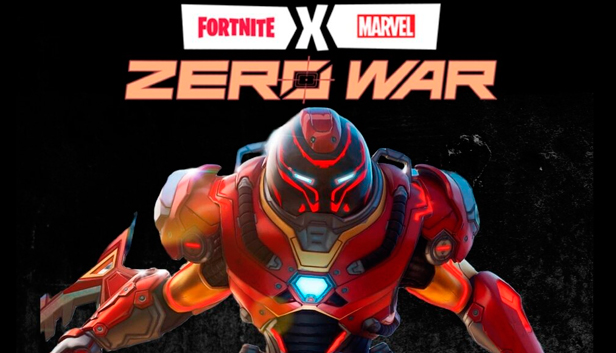
This bundle includes the following:
Spider-Man-based Outfit,
Iron Man-based Wrap,
Wolverine-based Pickaxe,
Spray based on Fortnite x Marvel: Zero War,
Loading Screen based on Fortnite x Marvel: Zero War
Upon activating all the codes you will also receive:
Iron Man Zero Outfit,
Repulsor Pack Back Bling,
Bladed Gauntlet Pickaxe,
Iron Man, Revealed Emote.
Multiple-awarded game
Fortnite is a free-to-play multiplayer game with three distinct game modes. In Fortnite Battle Royale, a cross-platform game, up to 100 players fight till the last one standing. And Fortnite Creative lets you create worlds and battle arenas. In additionally payable Fortnite: Save the World, a cooperative shooter-survival game for up to four players, you will battle zombie-like creatures and defend objects.
Get creative
Thanks to the customizable characters and various skins, you can become whoever you want to be. And with Fortnite Creative, you can let your imagination run wild. Create your own games, both simple and complex, and invite your friends to play. Experience games made by others in the Fortnite community. Decorate your own scenery and make your Island look splendid.
Party mode on
Fortnite is a place to meet new friends and have fun with them. Apart from battling, the game gives you the opportunity to join parties with live concerts from top artists. No sweat, just chill. Party Royale is an experimental and still evolving space with many attractions, including aerial obstacle courses, boat races, and movies.
windows Minimum
OS: Windows 10 64-bit version 1703
Processor: Core i3-3225 3.3 GHz
Memory: 8 GB RAM
Graphics: Intel HD 4000
windows Recommended
OS: Windows 10/11 64-bit
Processor: Intel Core i7-8700, AMD Ryzen 7 3700x or equivalent
Memory: 16 GB RAM or higher
Graphics: Nvidia RTX 3070, AMD Radeon RX 6700 XT, or equivalent GPU; 8 GB VRAM or higher
Storage: NVMe Solid State Drive
To activate the game, you need an Epic Games Account
Login or register at the official Epic Games Store and download Epic Games Store client
Download the Epic Games Launcher by clicking on the blue button on the top right corner of your screen.
Once installed, launch it and log in or sign.
On the top right corner, click on your avatar and then on “Redeem Code”
Redeem the code you purchased on Yuplay
Come back to the “Library” tab. Your new game is available and ready to install.
News & Updates
2026-01-16
Winter is the Perfect Time to Get Some Extra YXP
Winter season is much better with more games to play, so let’s kick-off 2026 with a storewide promotion bang and YXP level-ups then, shall we? For the first promo campaign this year we have prepared some incredible price drops and offers that you simply can’t miss out on! For the very short duration of only 3 days, you will have the opportunity to earn 50 extra YXP points in your account by making an order over 10€ …
Dive into Adrenaline-Fueled Battles in Code Vein II
We are starting the year with a review for a title that is ready to hit the market hard, because Code Vein II is the upcoming sequel to the 2019 soulslike Action RPG developed by Bandai Namco Studios. The game’s Steam page is already getting a lot of attention and for those of you looking to find out what is new in the gameplay and storyline compared to the original title, well… you are at the right place!