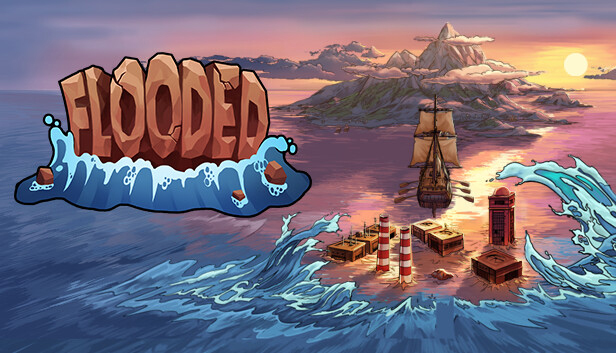
Most likely due to global warming, the waters have risen to a level leaving only a handful of places habitable. As a small group of survivors, you need to extract resources in order to build an ark and move to a safer place. But beware, with time the waters are getting higher, leaving you with less land to use!
MANAGE YOUR PROUCTION
Use different buildings to excavate precious resources. Upgrade them in order to maximize the production speed, find relics that will boost your performance and develop new technologies which will allow you to keep up the production rate on a smaller area.
DEFEND THE ISLAND
Turns out you’re not alone in this hostile environment. Other survivors have settled on nearby islands and they will take every chance to plunder your land. Build various defensive towers and traps to keep your miners safe.
EXPLORE DIVERSE ISLANDS
Once your island plunges into the ocean, you will need to find a new piece of land. Make sure you gather enough resources in time to build an arc and explore the unknown waters. Beware, you will encounter different biomes, each with their own set of characteristics!
UNCOVER THE STORY
With global warming being the one of the main issues of today’s society, it seems to be the easiest explanation of the worldwide flood. But is it really the reason why you are trapped on an island, fighting for survival and trying to reach the tallest mountain? Play the story mode to find out!
ROGUE-LITE RTS
Although Flooded will be story-driven, it will also include rogue-lite elements. Thanks to the procedurally generated islands, each playthrough will be different, while new commanders and relics unlocked with progress will allow you to apply different strategies. Create your own scenario in Quickplay or try the Endless mode, in which the level of water will lower every time you enter a new era, therefore giving you back some land.
To activate the game, you need a Steam Account
Login or register at the official Steam Website and download Steam client
Install and start application, login with your Account name and Password
Click the Games Menu.
Choose Activate a Product on Steam...
Follow the onscreen instructions to complete the process
After the successful code verification, go to the "MY GAMES" tab and start downloading.
News & Updates
2026-03-30
Join the Easter Raid Party and Win a Free Game
The Easter season is here and since we like this part of the year so much, we have made sure to have prepared a special YUPLAY promotional campaign for those of you that are ready to go into the Raid Party and grab a FREE gaming title. All you have to do is make an order above 20€ between 02.04.2026 15:00 CET and 08.04.2026 15:00 CET, and you will get a FREE game as ab Easter present from us…
Early Spring season has definitely delivered on some exciting updates, game announcements, and promising releases to be on the lookout for until the end of this year. So, let’s immediately have a better look at some of the more outstanding news that happened on the gaming scene during the month of March 2026 that we decided to cover for you…
This game doesn't support Steam Deck's native display resolution and may experience degraded performance
This game does not default to external Bluetooth/USB controllers on Deck, and may require manually switching the active controller via the Quick Access Menu
All functionality is accessible when using the default controller configuration
This game shows Steam Deck controller icons
In-game interface text is legible on Steam Deck
This game's default graphics configuration performs well on Steam Deck