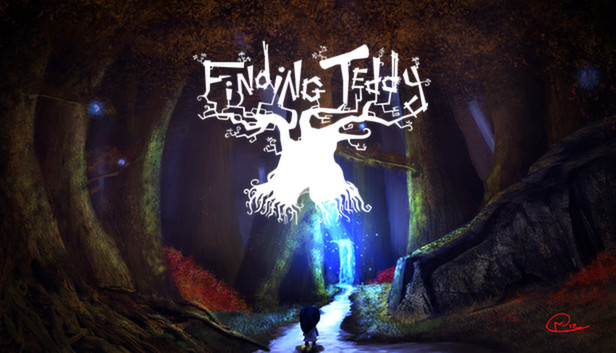
Finding Teddy is a Retro Point'n'click Interactive Tale.
A little girl was sleeping peacefully with her Teddy bear, when suddenly, a monster popped out from her cupboard then stole her favorite plush. When closing the door, the little girl awoke then got inside the cupboard. She's projected in a magical world, full of monsters and oddities where she has to discover the place and help their beings and find back her Teddy.
Still one question remain : will she be able to go back to the real world ?
The little girl : She's the main character, she's looking for her Teddy bear.
Mister Fly : Very useful fly to access some items where the little girl can't go. Verycourteous.
Mister Cat : Has a bad temper, nevertheless useful to access small places and narrow galleries. Just need to scratch its back.
In a very traditional point'n'click way, the inventory is very easy to use. Just drag'n'drop the items where you want. You can also click everywhere on the screen to interact with the environment. You will meet two characters who'll help you in your periple. You can save the game anytime, if you get killed, you'll go back to the same place, no need to load your game. No dialogue. Riddles are the main point of the game.
The revival of Point'n-Click.
Graphics completely handmade, realized pixel by pixel.
An adventure divided into three chapters including dozens of riddles with multiple side quests.
windows Minimum
OS: Windows 7+
Processor: Dual Core CPU
Memory: 512 MB RAM
Graphics: OpenGL 2.0 compliant video card
Storage: 90 MB available space
macosx Minimum
OS: Mac OS X 10.6
Processor: Dual Core CPU
Memory: 512 MB RAM
Graphics: OpenGL 2.0 compliant video card
Storage: 90 MB available space
linux Minimum
OS: Ubuntu Linux 12.10
Processor: Dual Core CPU
Memory: 512 MB RAM
Graphics: OpenGL 2.0 compliant video card
Storage: 90 MB available space
To activate the game, you need a Steam Account
Login or register at the official Steam Website and download Steam client
Install and start application, login with your Account name and Password
Click the Games Menu.
Choose Activate a Product on Steam...
Follow the onscreen instructions to complete the process
After the successful code verification, go to the "MY GAMES" tab and start downloading.
News & Updates
2026-08-21
The Biggest Games to Steal the Show at Gamescom 2026
Gamescom 2026 is coming at the end of this month with more than 900 exhibitors and we just wanted to showcase some of the upcoming games in the AAA titles category that you should definitely check out! So, be sure to go through our shortlisted future release hits in most gaming genre types, as we get ready to once again explore the world of Gamescom…
ACE COMBAT 8 Could Be the Series’ Most Ambitious Entry
The upcoming Ace Combat 8: Wings of Theve marks a completely new chapter in the popular flight shooting series, by effectively blending cinematic storytelling with the thrills of aerial combat like never before. Developed by Bandai Namco Aces Inc., the game will build upon the decades of established expertise in order to further boost the series’ strong sides…