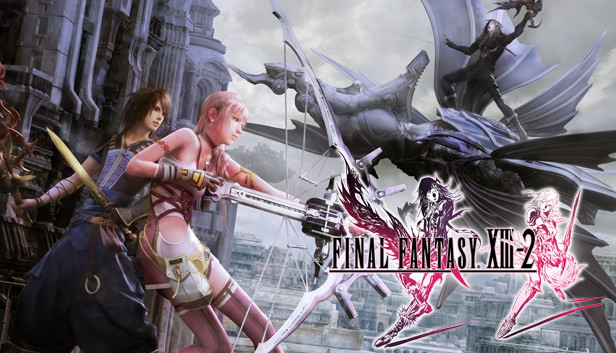
Now enhanced for Windows PC, FINAL FANTASY XIII-2 is created with the aim of surpassing the quality of its predecessor in every way, featuring new gameplay systems and cutting-edge visuals and audio. In this game the player has the freedom to choose from a range of possibilities and paths; where their choices affect not only the immediate environment, but even shape time and space!
It is no longer about facing destiny. Create a new future and change the world!
Now Enhanced for Windows PC
Including a range of the downloadable content from the original console, plus the choice for either English or Japanese voiceovers, 60 frames-per-second graphics and customizeable rendering resolution (720p, 1080p, and more).
Larger, More Interactive Environments
Places with multiple pathways to explore, and many secrets to find, offer players the chance to shape the adventure their way.
Time Travel - A New Dimension of Exploration
The situation, scenery, flora, fauna and weather conditions all change, depending on when you visit locations. Untangling the threads of time is essential in witnessing the full story!
Enhanced Battle System
New elements such as visually dynamic Cinematic Action sequences, and an innovative battle clock that will either reward or punish players, create further variety and choice for the player.
Master of Monsters
A wide variety of over 150 different monsters inhabiting the game world can be recruited into the player’s party and battle strategy, with each creature having unique and devastating special abilities!
Graphics: NVIDIA® Geforce® GTX™ 460/ ATI Radeon™ HD 5870
Storage: 30 GB available space
Directx: Version 9.0c
Sound card: DirectX® 9.0C compatible sound card
To activate the game, you need a Steam Account
Login or register at the official Steam Website and download Steam client
Install and start application, login with your Account name and Password
Click the Games Menu.
Choose Activate a Product on Steam...
Follow the onscreen instructions to complete the process
After the successful code verification, go to the "MY GAMES" tab and start downloading.
News & Updates
2025-12-16
Double Up on Christmas Deals with YUPLAY
This Christmas we got not just one, but actually two very interesting promotions prepared for you! The first out of the two Christmas holiday promos is going to last a bit more than a week and it would include discounts on all the games we got on our website and if you decide to buy at least 2 (or more) game titles, at checkout there would be an automatic 10% (with a maximum cap limit of 3€) taken off from the cheaper one in the order. The second one…
As the holiday season is already nearly here, we prepared a special Christmas Giveaway that would let you test your gaming IQ with YUPLAY and win some awesome prizes while doing it! Make sure to regularly check and follow our YUPLAY X profile in order to be in the know about any possible chances to participate and enter the Christmas Giveaway in a timely manner. Are you up to the challenge and ready to guess some great gaming titles?
This game's launcher/setup tool may require the touchscreen or virtual keyboard, or have difficult to read text
This game sometimes shows mouse, keyboard, or non-Steam-Deck controller icons
This game does not default to external Bluetooth/USB controllers on Deck, and may require manually switching the active controller via the Quick Access Menu
All functionality is accessible when using the default controller configuration
In-game interface text is legible on Steam Deck
This game's default graphics configuration performs well on Steam Deck